Windows Search Index: Gaps in Existing Open Source Tooling and the Implementation of WAL Carving
Recently, we came across an issue with parsing the Windows Search Index using Search Index DB Reporter (SIDR) (https://github.com/strozfriedberg/sidr). It didn’t support parsing the Search Index sqlite database (Windows.db) on Windows 11 versions 24H2+ (we’ve tested 24H2, 25H2 and 26H2).
This led to us parsing the Search Index database using SQLECmd from EZ-Tools (https://ericzimmerman.github.io/). Again we ran into an issue. It parsed the database but the output is unreadable since the values are hex encoded.
We decided to fix both of these issues and implement a new feature which isn’t present in any open source tool that we know of. This feature is WAL carving of the Windows.db-wal file. (SQLite’s Write-Ahead Log for Windows.db). Forensic implications are described below.
For SQLECmd we’ve created a helper script to decode the hex values returned by SQLECmd when parsing the Windows Search Index. The script also has a WorkId correlation feature (--pivot flag) you can use to generate output similar to SIDR.
All of the following tests were performed on the same 26H2 machine, only using updated versions of the same Windows.db database.
SIDR
We concluded that the SIDR repository is unmaintained and does not work on Windows versions 24H2, 25H2 and 26H2.
24H2
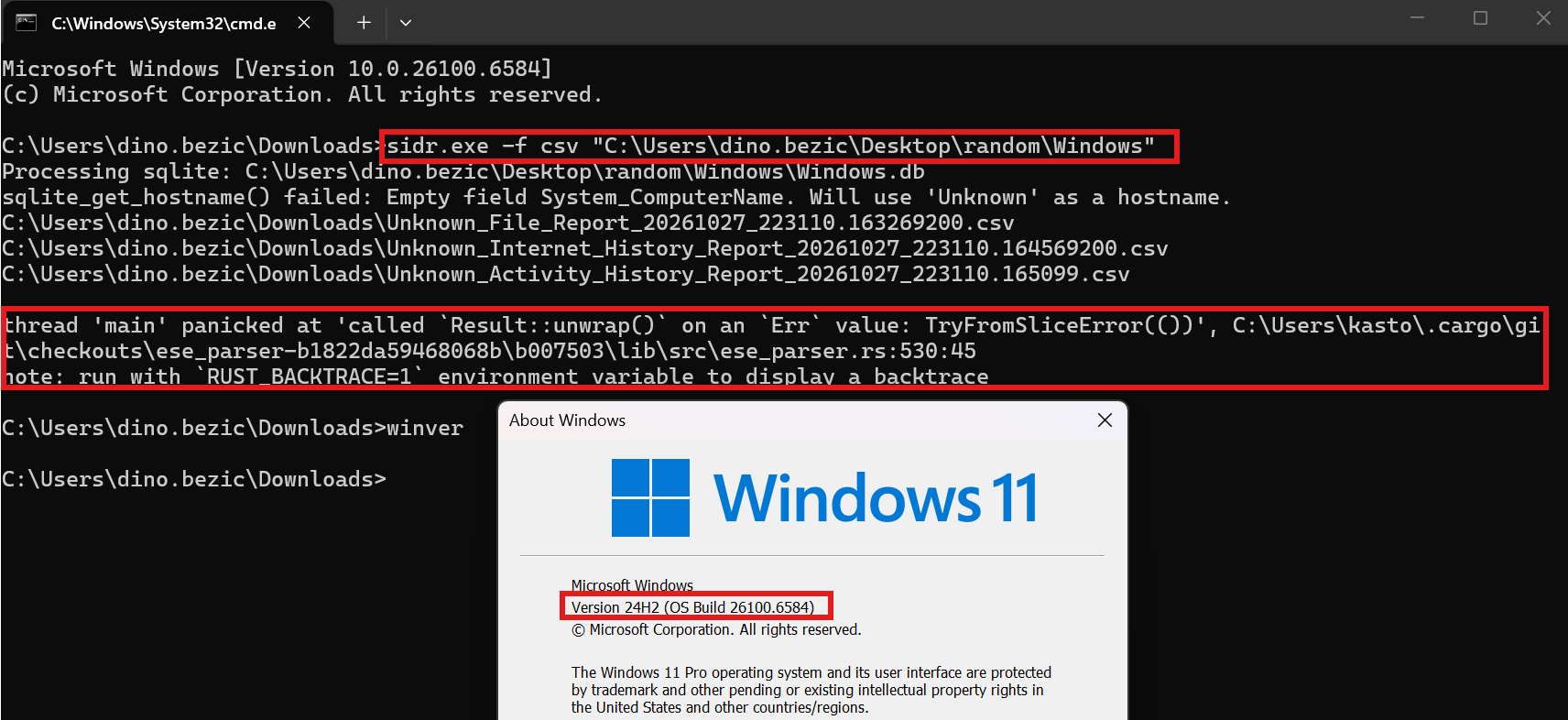
The output is almost non-existent:

sidr-patch
We didn’t want to create a new tool from scratch when SIDR was working as expected on previous versions. Therefore we just created a patch for SIDR; most of this codebase is unmodified upstream SIDR (base commit 5bde8e8, Apache License 2.0, © 2025 LevelBlue). We only patched it to stop crashing on Windows 11 24H2/25H2/26H2 databases and added the new --history recovery option which supports WAL carving. This is described in detail below.
Reason why SIDR fails is described in our patched SIDR github repository (sidr-patch): https://github.com/Protokol-7/sidr-patch/tree/main
The release is available at: https://github.com/Protokol-7/sidr-patch/releases/tag/v1.0.0
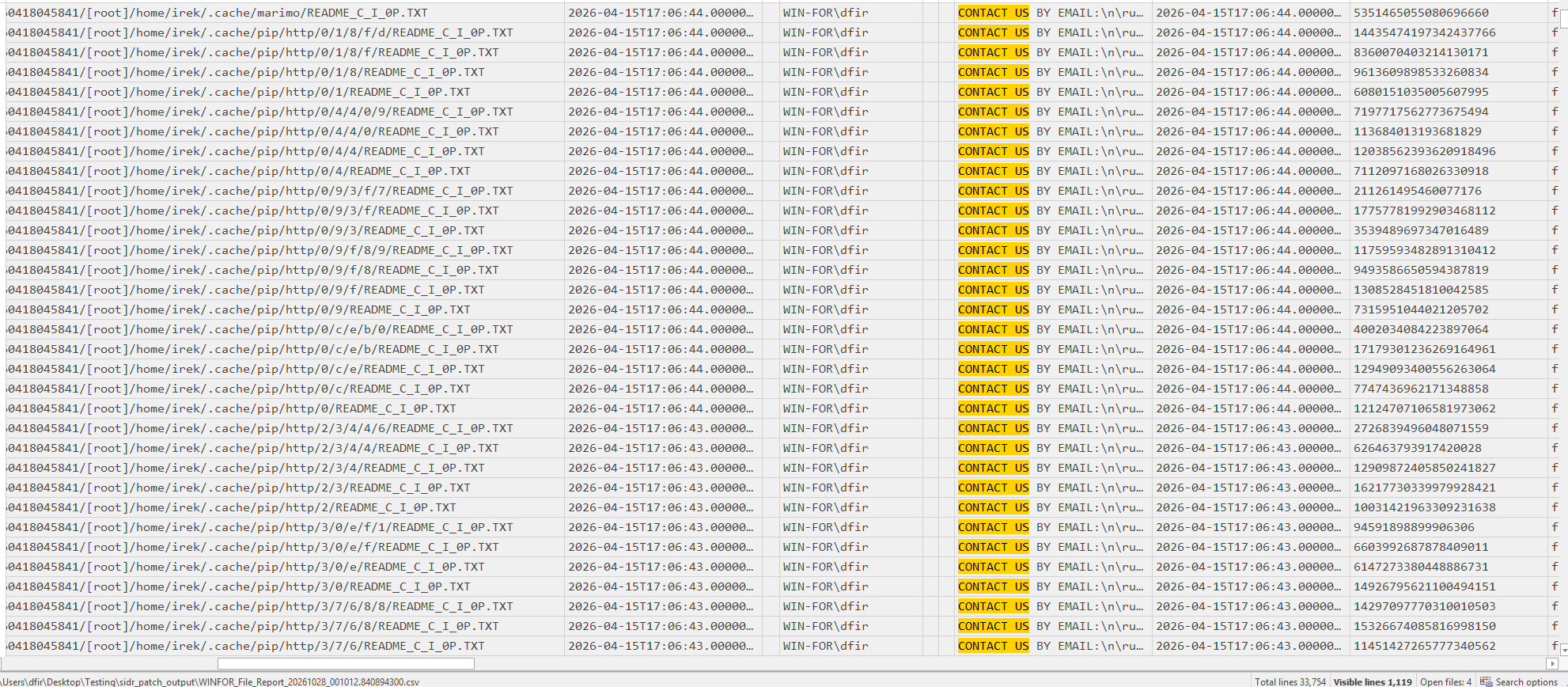
Demonstration of the patch on a Windows 11 26H2 machine:


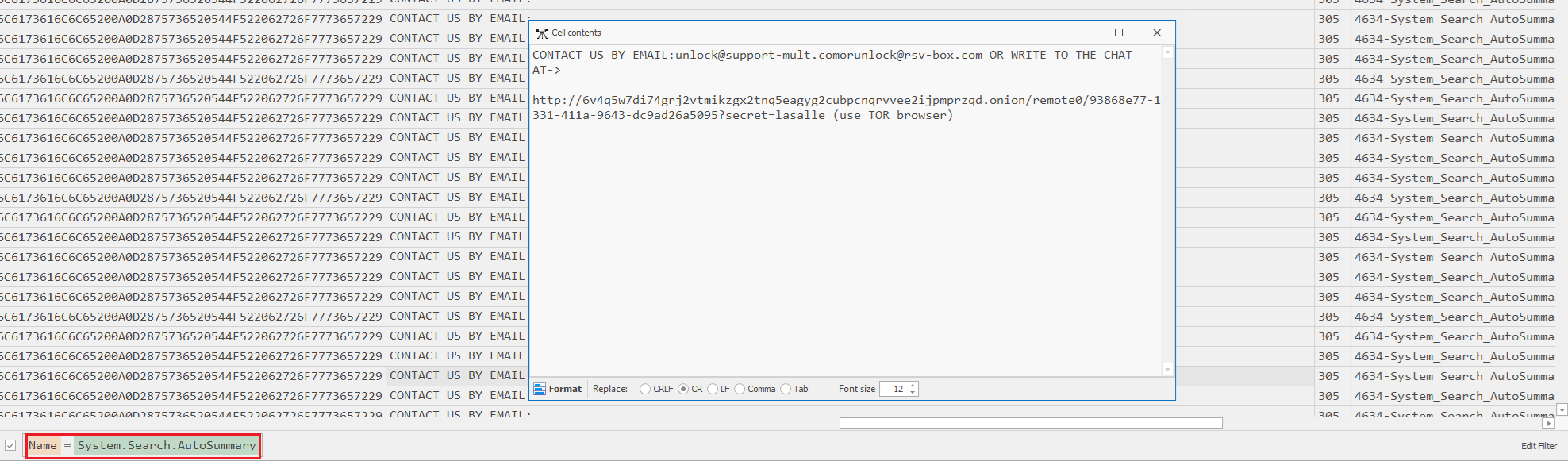
Output is the same as before with SIDR. In this example, I searched for a string that’s present inside a ransomware note (.txt file). The AutoSummary (Content Preview) feature allows us to inspect content inside of the file.
WAL Carving
WAL carving applies the general carving idea to a SQLite write-ahead log: instead of asking the database engine “what’s the current value of this row,” you read the WAL file directly, byte by byte, and reconstruct every version of a row that was ever written to it, including versions the engine itself would refuse to show you, because they’re old, superseded, or part of a transaction that never finished.
The sidr_patch --history flag does three things, roughly:
- Walks the WAL independently of SQLite. Rather than opening the database normally and asking it for the current state, it parses the raw WAL file itself to find every past version of every page including ones that were later overwritten, ones from a half-finished write, and leftover fragments from before the WAL was last reset.
- Does the same for the main database file, looking at space that’s no longer actively used by anything live, pages that got replaced or freed but weren’t yet overwritten by new data.
- Compares every historical value it finds against the item’s current value. If they match, it’s discarded, not interesting. If they differ, it gets written to a report with a label explaining why it’s different: the value changed, the property disappeared, or the whole item no longer exists at all.
Forensic Value
It recovers evidence a live query can never show you. A normal scan, even a very thorough one, only ever sees the database’s current, final state. Anything superseded along the way is invisible to it by design. WAL carving is the only way to see that intermediate history at all. It can recover evidence that was never meant to be visible to anyone. A half-written transaction that got interrupted by a crash, a power loss, or a process being deliberately killed never becomes “current” under any circumstances. Carving is the only path to it.
But it’s a closing window, not a permanent record. Everything recovered this way is sitting in space that’s actively being reused by the next checkpoint, the next write, ongoing indexing activity. The longer you wait, the more of it gets overwritten. This is probabilistic evidence that degrades over time, not something you can always count on finding, which is exactly why timing matters so much in how you present a case built on it.
Use Case Scenario: Recovering a Deleted File’s Search-Index History via WAL Carving
Suppose a file was created, renamed to hide it, then deleted and the Recycle Bin emptied. The file itself is gone and may have been overwritten (suppose the MFT and Journal entries were also deleted or overwritten). Windows Search’s own database can be used as evidence here, specifically, residual property values sitting in the SQLite WAL and in freed/replaced pages of Windows.db that haven’t been overwritten yet.
Using sidr_patch --history, we managed to recover the renamed file name and other properties such as AutoSummary (Content Preview). This is the step-by-step process we used to demonstrate this scenario.
- Creating a file
Unique_WAL_Carve_test.txt.
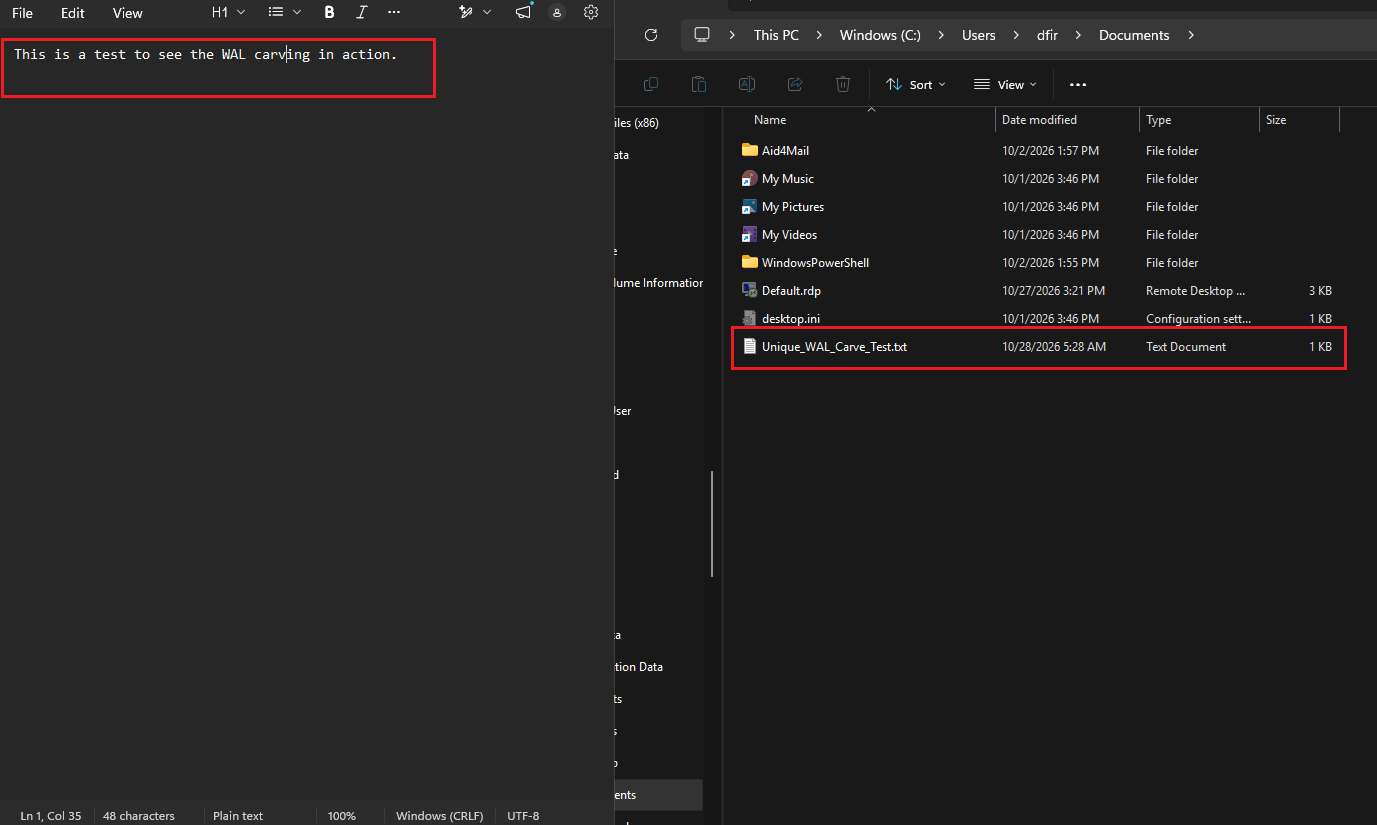
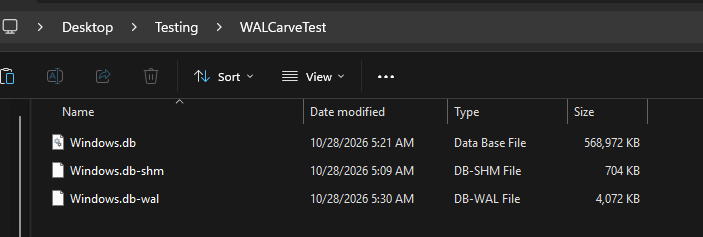
- Copying over the database after file creation, because a handle is currently opened and we can’t parse it live. (Note that the -shm file isn’t actually needed to perform WAL carving).
- Using sidr_patch to parse the database (without the
--historyflag, just regular usage)
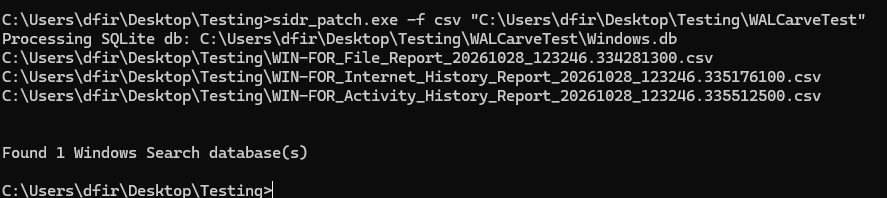
- Checking the File_Report CSV for the file name.



- Renaming the file to
Renamed_WAL_Carve_Test.txt.
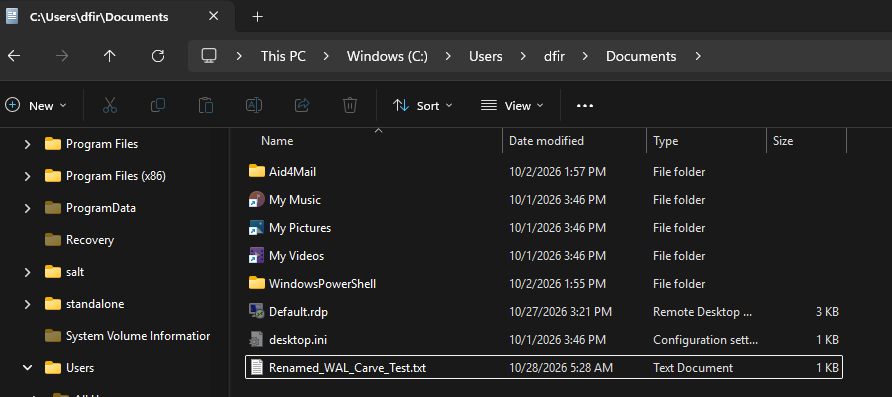
- Copying the database and parsing again.
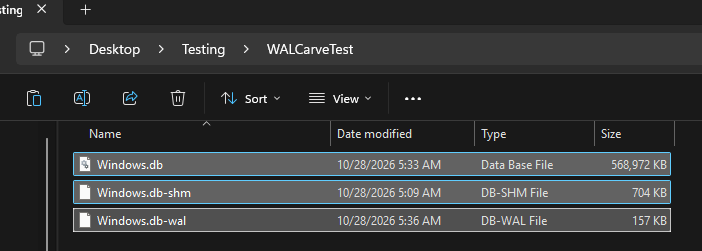
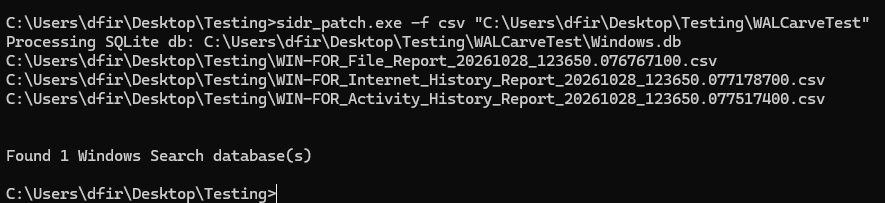
- Renamed file appears.


- The file was deleted (moved to Recycle Bin and deleted from there as well).
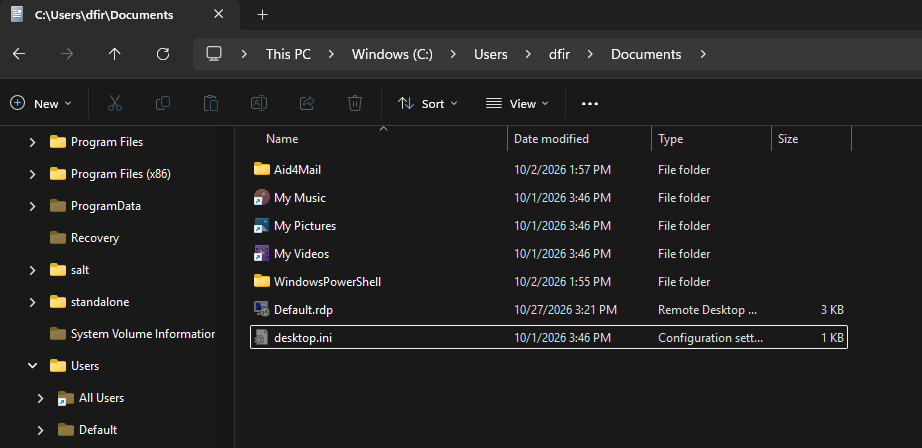
- Copying the database and parsing again.
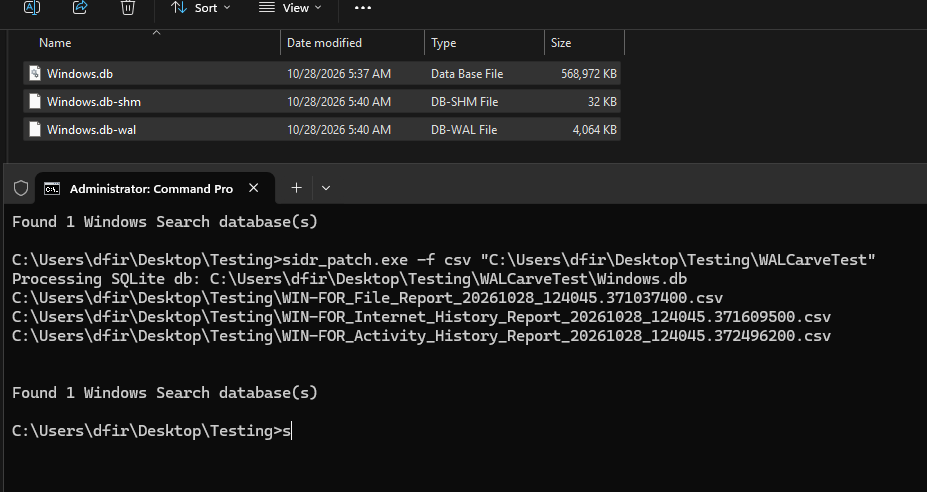
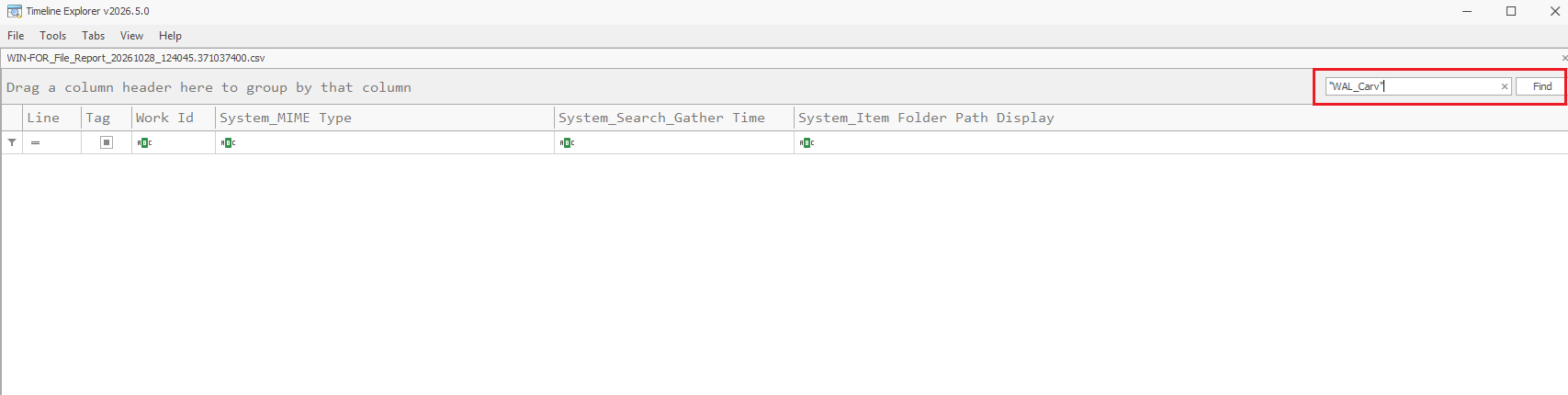
- The Search Index Database (File_Report CSV output from SIDR) doesn’t contain either the old file name or the new file name.
- Parsing with the
sidr_patch --historyflag this time.
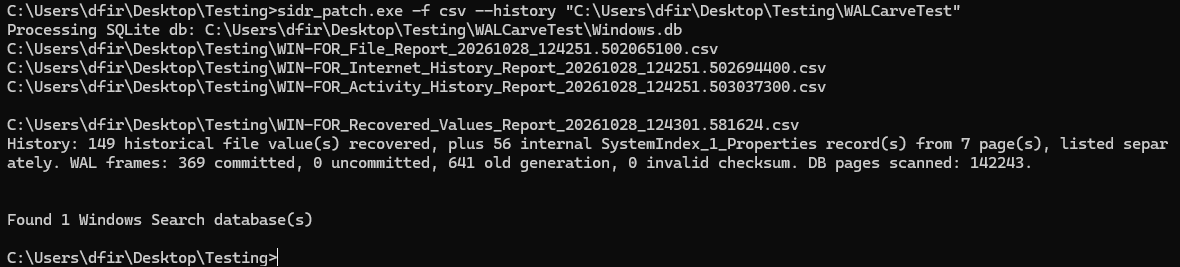
- We successfully recovered the file and its metadata, proving that it existed and even viewing its content. In this case, the original file name wasn’t recovered, only the renamed file.
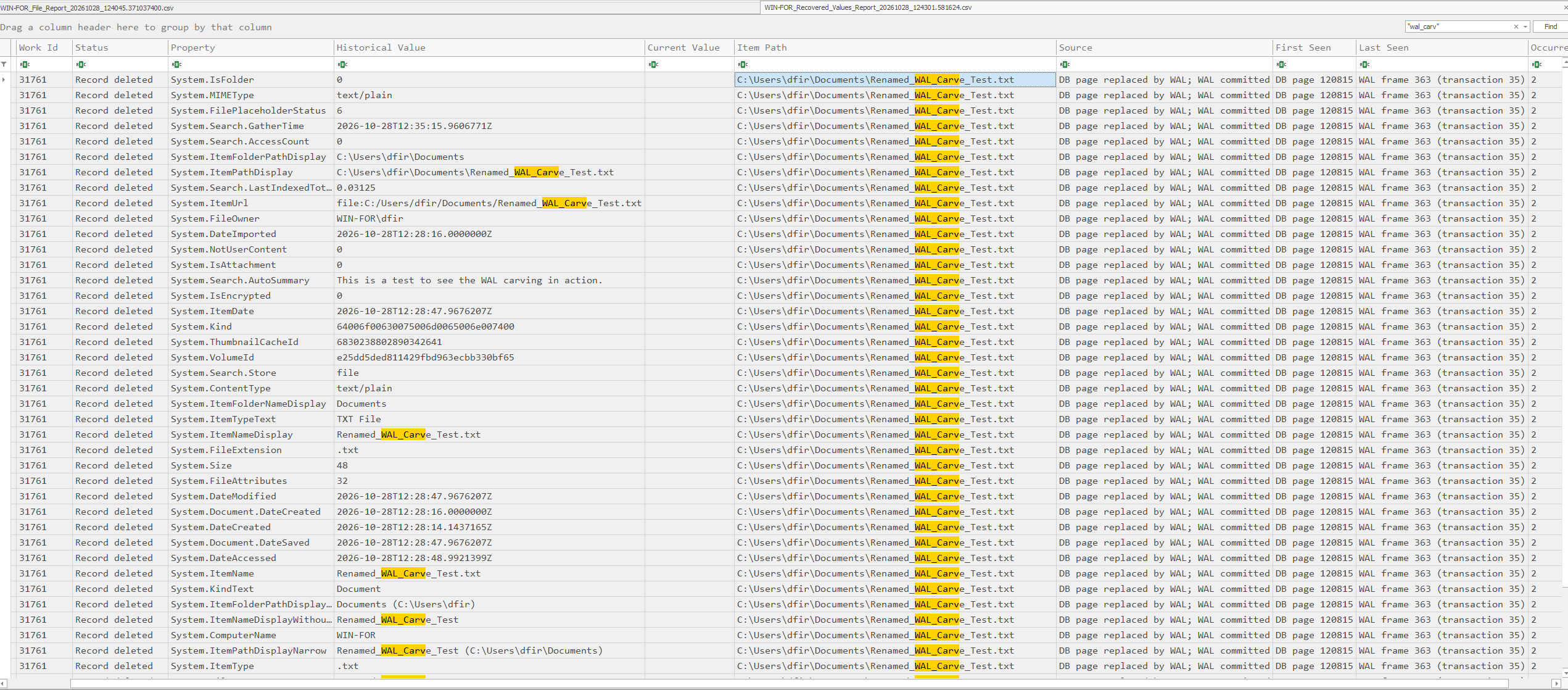
Windows.db is lossy by design. A checkpoint only ever copies the latest committed version of each page into the main file, every intermediate state that existed along the way, in a sequence of commits before that checkpoint, is simply discarded from the moment it’s superseded. The WAL is the only place several categories of evidence ever exist in a form that’s recoverable at all.
Addressing SQLECmd
In this demonstration we’ll also show the usual output SQLECmd generates when parsing the Search Index database, as well as demonstrating our script which decodes the SQLECmd output and provides a pivoting feature that correlates WorkIds similar to what SIDR does. We didn’t intend to replace SIDR with this script, and generally we prefer SIDR for this, but if someone wants to use SQLECmd, our script might come in handy.
We tested this with both the newest SQLECmd version 2026.10.3 and the 2026.5.0 version. The output is the same.
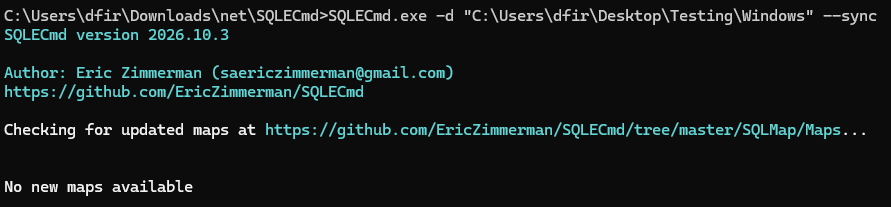
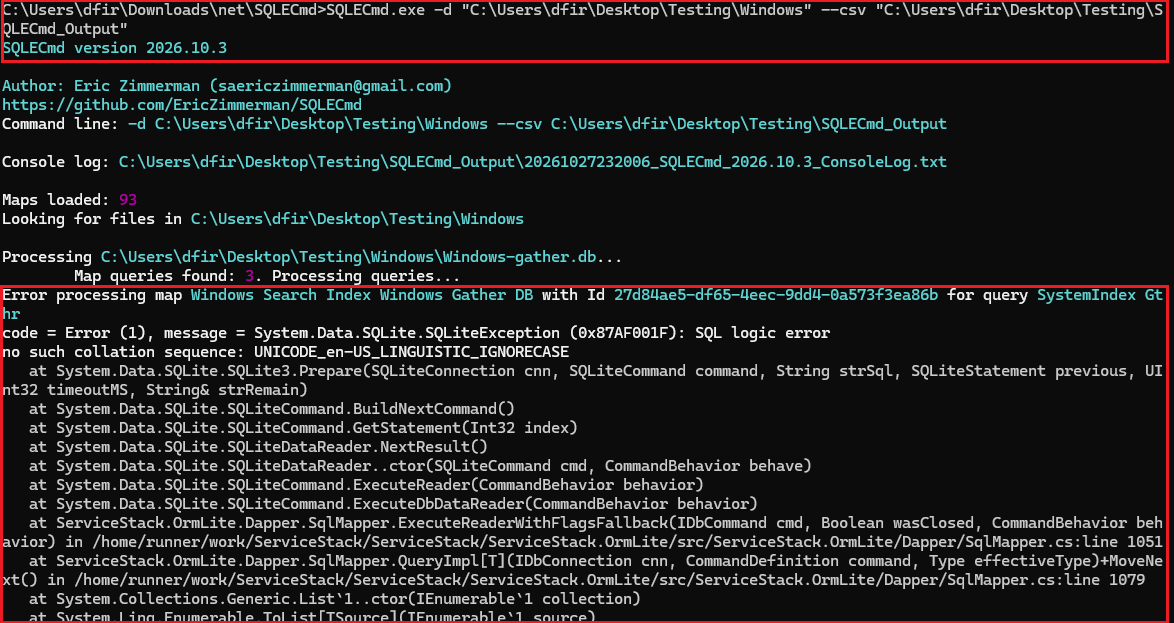

We did get output, the error isn’t of note:
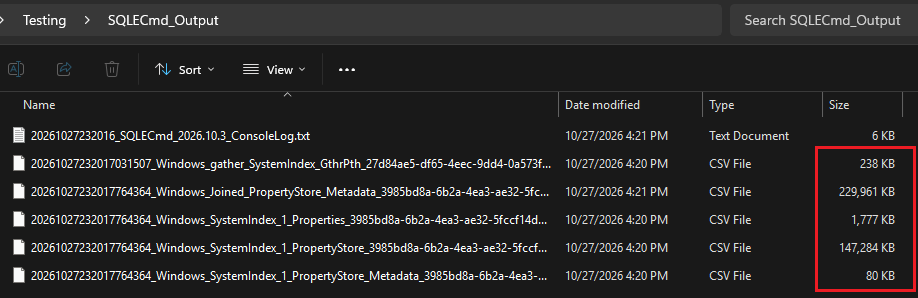
sqlecmd_si_decode script
Again, we recommend using the patched SIDR, but if anyone wants, they can keep using SQLECmd. This script decodes the hex values which SQLECmd outputs, and it also has a WorkId correlation feature (--pivot) to get output similar to the patched SIDR.
Github: https://github.com/Protokol-7/sqlecmd_SI_decode
General usage just for decoding:
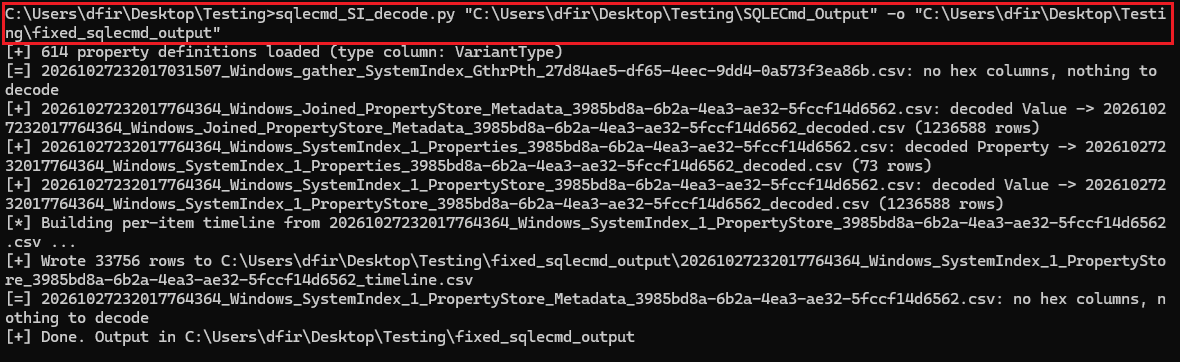
Output is in a few tables, I wanted to search for the AutoSummary Content Preview. This was in the joined table (20261027232017764364_Windows_Joined_PropertyStore_Metadata_3985bd8a-6b2a-4ea3-ae32-5fccf14d6562_decoded.csv):
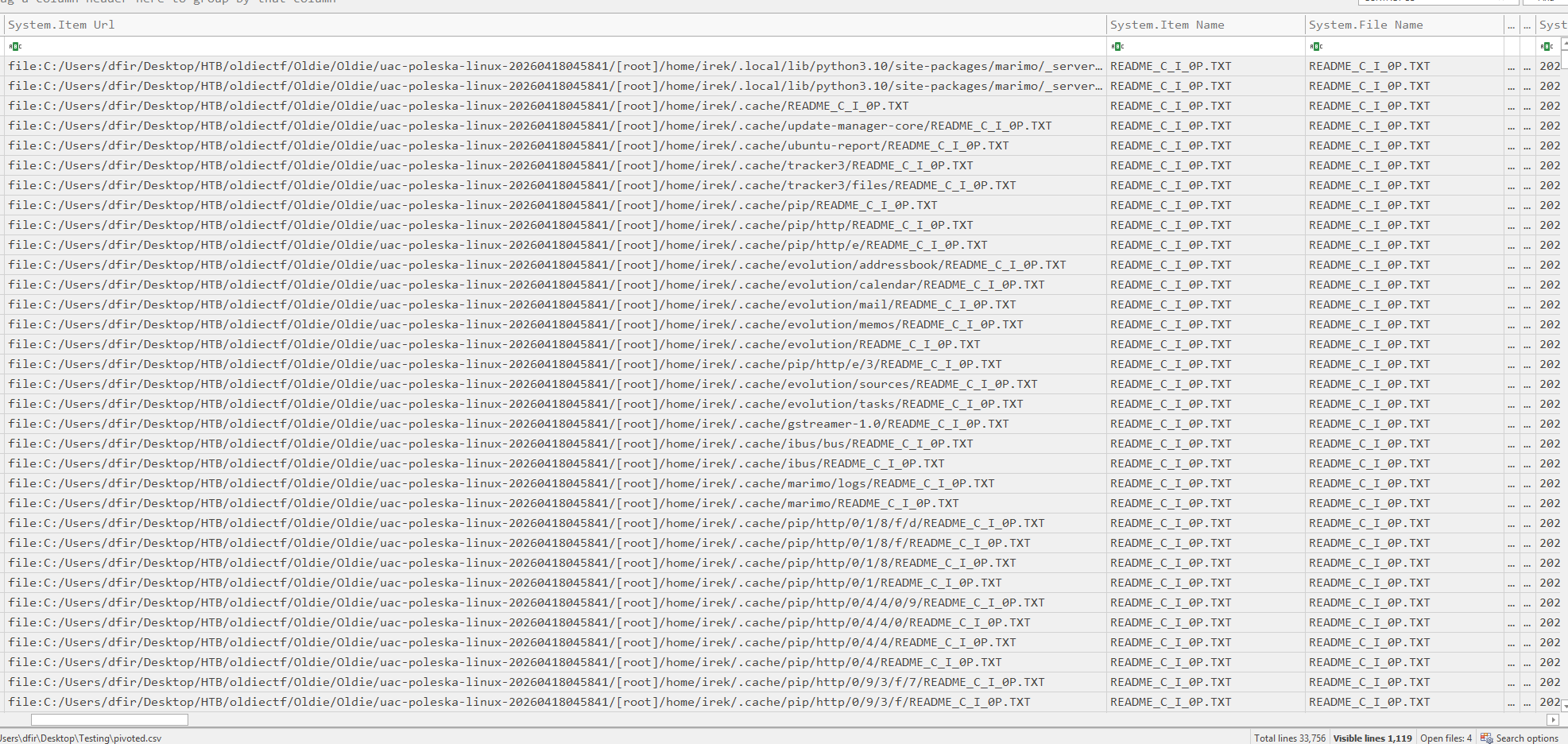
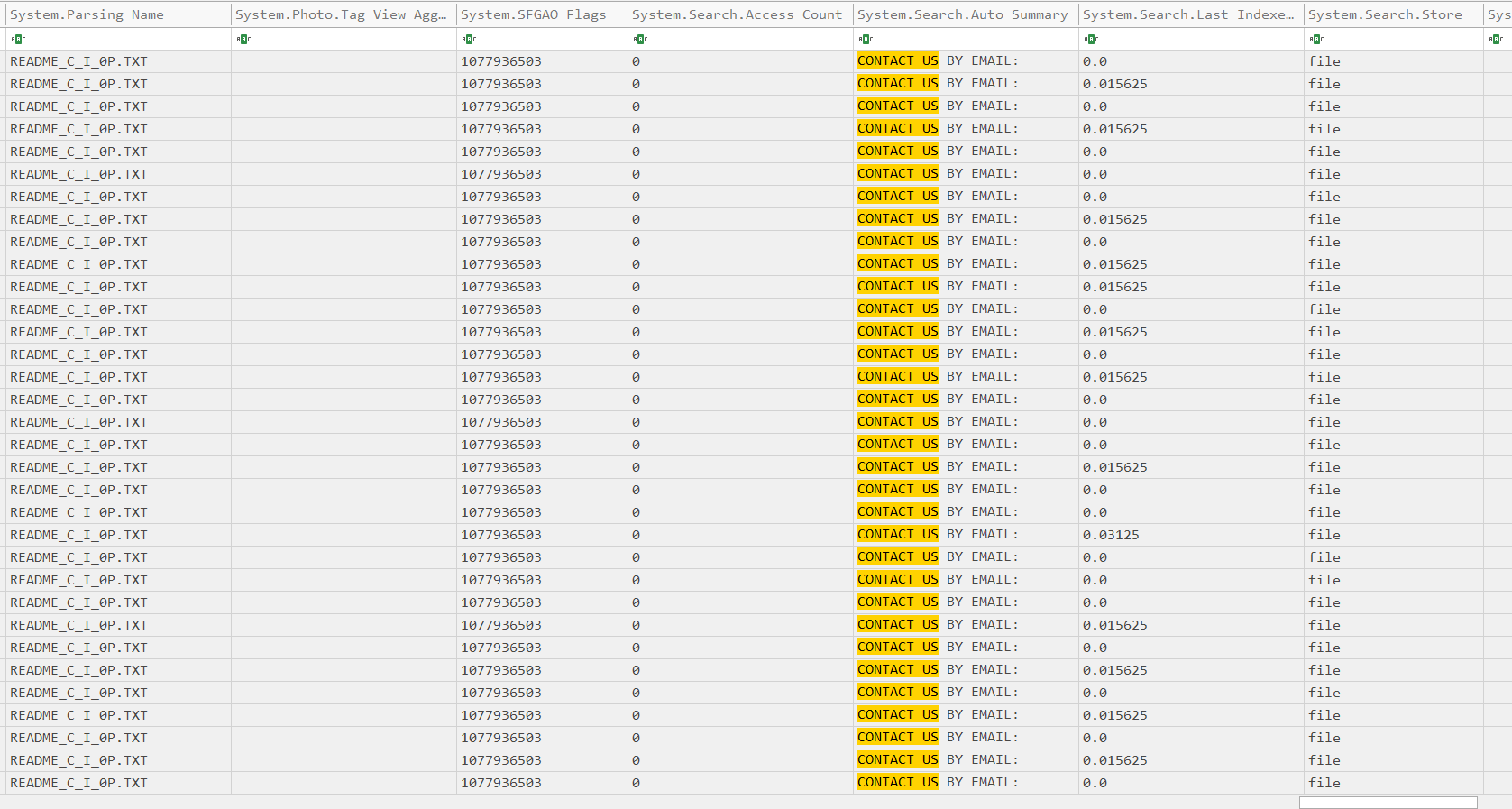
Recommended usage (pivoting with --pivot flag, also add metadata CSV with --meta):
The first table we pass as an argument is the PropertyStore table which was the output of SQLECmd, then the output was defined to be saved in pivoted.csv. Then the second table was added, the PropertyStore_Metadata table (not the joined Metadata one), also outputted by SQLECmd. And the flag --pivot used to correlate WorkIds.

WorkId correlation: it groups every decoded (WorkId, Property, Value) triple by WorkId and writes one row per item, with every property that appeared anywhere in the data as a column. Run it with --pivot and you get a wide table structurally similar to SIDR’s File Report Output, but it’s not identical and we’re keeping it this way.
DB Browser for SQLite
I’d also like to address DB Browser for SQLite, a popular choice whenever sqlite databases are in play.
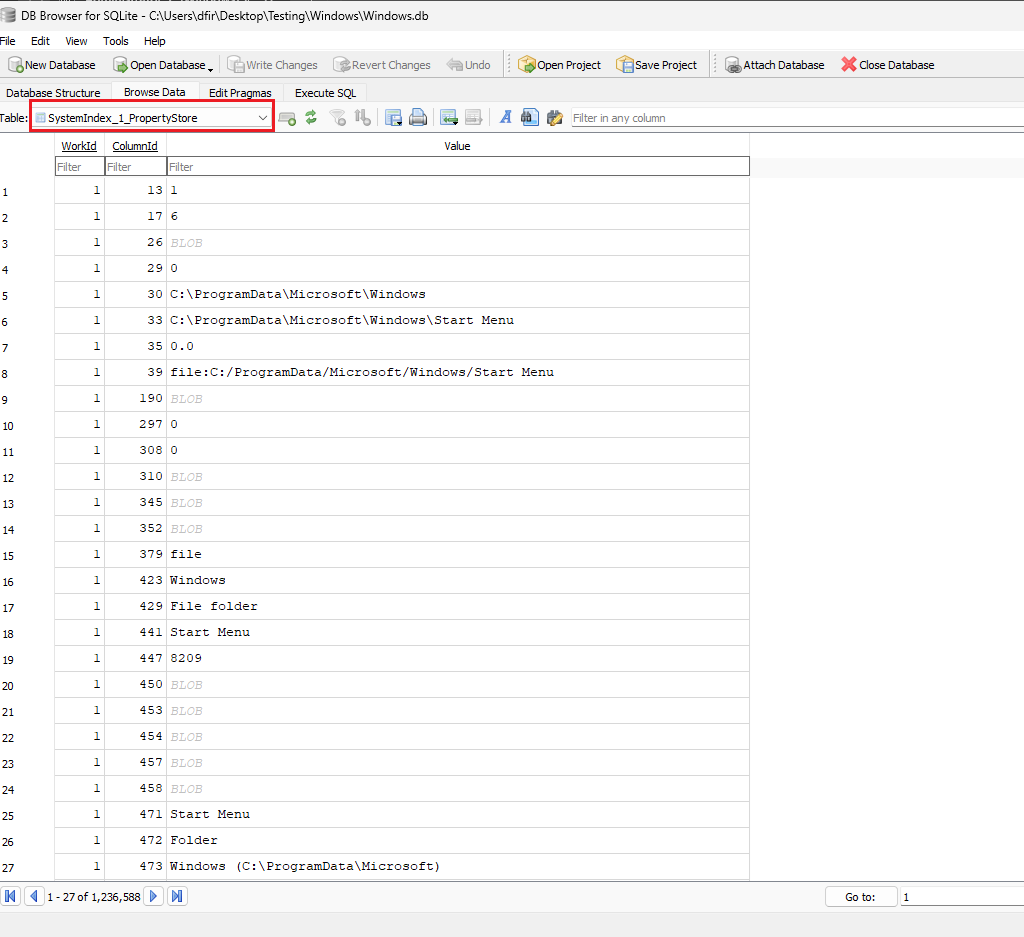
Browsing through DB Browser is usually a pain, and to correlate:
SystemIndex_1_PropertyStore only stores numeric ColumnIds, not names; the name mapping lives in a separate table, SystemIndex_1_PropertyStore_Metadata. You need to resolve the ID first, meaning you have to write SQL queries.
SELECT ps.WorkId, ps.Value
FROM SystemIndex_1_PropertyStore ps
JOIN SystemIndex_1_PropertyStore_Metadata meta
  ON meta.Id = ps.ColumnId
WHERE meta.Name = 'System.Search.AutoSummary';
That gives you every WorkId that has a content preview, with the actual snippet text in Value.
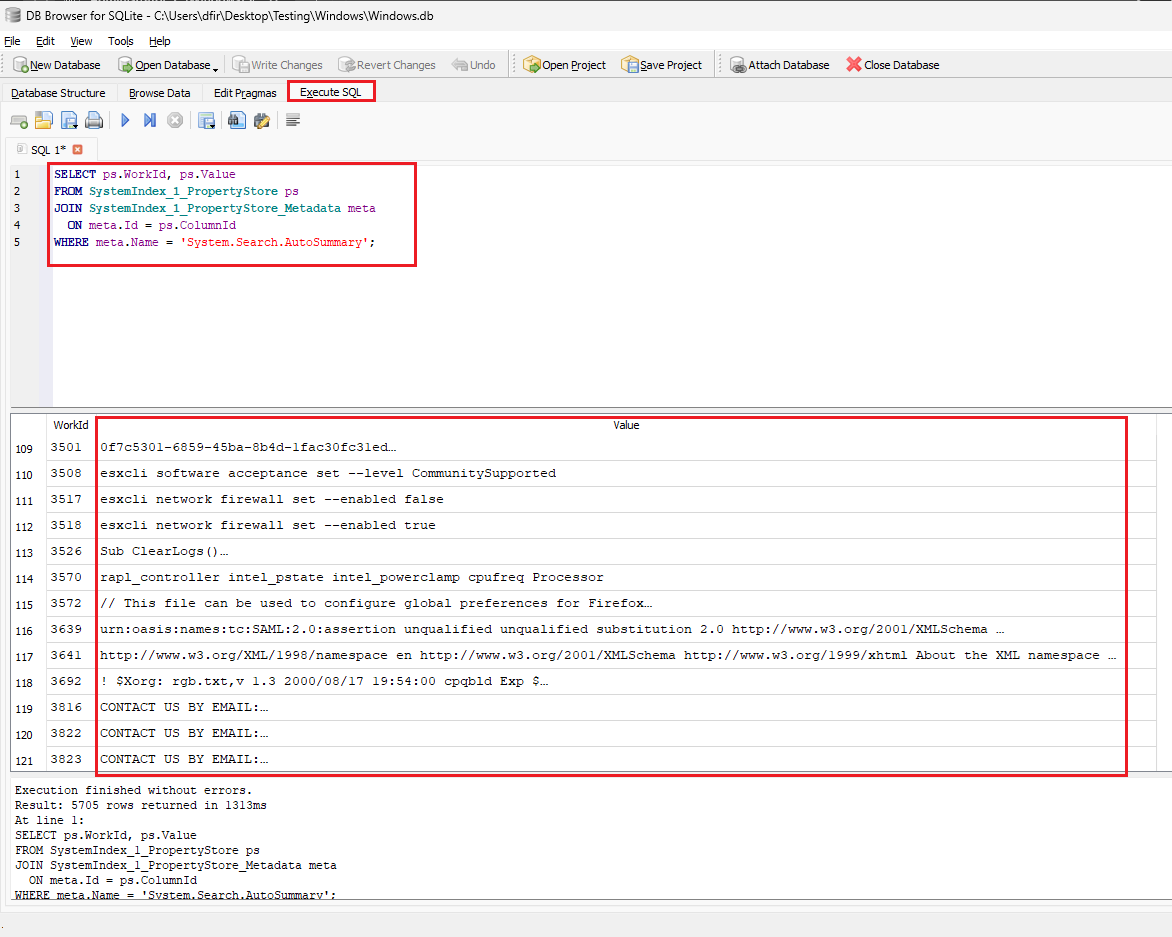
It is possible to get output similar to SIDR, but we would rather not write SQL queries if a tool can parse it for us.
Conclusion
SIDR doesn’t work on current Windows 11 builds, and even where SQLECmd does work, its output is unreadable without a decode step of your own. We fixed both: sidr-patch gets SIDR running again on 24H2, 25H2 and 26H2, and sqlecmd_SI_decode makes SQLECmd’s hex output readable if you’d rather stick with it. On top of that, the --history flag adds something neither tool had before: WAL carving lets you recover property values, including a deleted file’s name and content preview, straight from the write-ahead log and freed pages of Windows.db, long after a normal query stops showing them. That evidence is time-sensitive since checkpoints and new writes overwrite it, so the sooner you parse with --history, the more you’ll get back.