<?xml version="1.0" encoding="utf-8"?><feed xmlns="http://www.w3.org/2005/Atom" ><generator uri="https://jekyllrb.com/" version="3.10.0">Jekyll</generator><link href="https://protokol-7.github.io/feed.xml" rel="self" type="application/atom+xml" /><link href="https://protokol-7.github.io/" rel="alternate" type="text/html" /><updated>2026-11-11T15:34:14+00:00</updated><id>https://protokol-7.github.io/feed.xml</id><title type="html">Protokol-7</title><subtitle>DFIR, detection engineering, and malware analysis research from a three-person research team.</subtitle><author><name>Protokol-7</name></author><entry><title type="html">Defender’s hidden flight recorder: decrypting mpenginedb.db</title><link href="https://protokol-7.github.io/dfir/2026/11/10/defenders-hidden-flight-recorder-mpenginedb.html" rel="alternate" type="text/html" title="Defender’s hidden flight recorder: decrypting mpenginedb.db" /><published>2026-11-10T00:00:00+00:00</published><updated>2026-11-10T00:00:00+00:00</updated><id>https://protokol-7.github.io/dfir/2026/11/10/defenders-hidden-flight-recorder-mpenginedb</id><content type="html" xml:base="https://protokol-7.github.io/dfir/2026/11/10/defenders-hidden-flight-recorder-mpenginedb.html"><![CDATA[<p>Every Windows machine running Microsoft Defender keeps a SQLite database at:</p>

<div class="language-plaintext highlighter-rouge"><div class="highlight"><pre class="highlight"><code>C:\ProgramData\Microsoft\Windows Defender\Scans\mpenginedb.db
C:\ProgramData\Microsoft\Windows Defender\Scans\mpenginedb.db-wal
</code></pre></div></div>

<p>We haven’t found any references online that anyone uses this as an actual artifact. It isn’t covered by any map in KAPE, Velociraptor, Dissect, or (until now) SQLECmd’s 95 stock maps. So the value of this lesser known database hasn’t been covered forensically, at least from what we were able to find online. There has been some offensive research into this database, specifically for evasion techniques and reversing certain Defender components, but the contents of this database haven’t been covered.</p>

<p>Internally Defender calls this store <strong>MetaVault</strong>. It’s maintained by <code class="language-plaintext highlighter-rouge">mpengine.dll</code>, Defender’s scanning engine. Most of what gets written into it isn’t written by the engine’s native code. It’s written by Lua scripts embedded in the signature definition files (<code class="language-plaintext highlighter-rouge">mpasbase.vdm</code>/<code class="language-plaintext highlighter-rouge">mpavbase.vdm</code>). Defender’s signatures are small programs that can read and write this database as they evaluate a file or process.</p>

<h2 id="the-encryption">The encryption</h2>

<p><code class="language-plaintext highlighter-rouge">mpengine.dll</code> checks a setting called <code class="language-plaintext highlighter-rouge">MpSqliteCodecDisable</code> when it opens the database. Unless that’s set to <code class="language-plaintext highlighter-rouge">1</code>, it enables SQLite’s encryption hook with an empty key. That key is never actually used, it’s a decoy. The real cipher is <strong>RC4</strong>, with a fixed 256-byte key stored inside <code class="language-plaintext highlighter-rouge">mpengine.dll</code>.</p>

<p>The cryptographic implementation is also weak. RC4 resets for every page, so every page uses the exact same keystream, with no nonce and no integrity check. Page 1 still leaks bytes 16 to 23 (page size and a few other header fields) in the clear before the rest is run through RC4. The same pattern is in the WAL: frame headers are readable, only the page data is encrypted. One detail to watch for when decrypting the WAL yourself: SQLite’s checksums are computed over the encrypted bytes, not the plaintext, so decryption has to happen before SQLite validates the frames.</p>

<p>We tested this on two separate Windows 11 machines, both on engine build <code class="language-plaintext highlighter-rouge">1.1.26100.4</code>, and recovered the same key from both. <strong>That means the key is tied to the engine build, not the individual machine.</strong> A sample from any system running that build is enough, there’s no need for the exact machine under investigation. This also means the database can likely be decrypted on an updated Windows 10 machine running the same engine build, using the same key.</p>

<p>The DLL isn’t even required to get the key. Unused space in a SQLite page is zero-filled, and zero XOR’d with a keystream returns the keystream itself. Combined with the known SQLite format 3 header, that’s enough to reconstruct the full 256-byte key directly from the evidence file. We verified both paths, key extracted from the DLL and key rebuilt from a blank page, and got identical results. This is also the reasoning behind the <code class="language-plaintext highlighter-rouge">--derive-key</code> flag in the parser: it discards the built-in key and reconstructs it from the evidence instead, so the output doesn’t depend on anything shipped with the tool.</p>

<p>What hasn’t been established is whether this holds across other engine builds. Only one build was tested, on two machines, so it’s unknown whether an older or newer <code class="language-plaintext highlighter-rouge">mpengine.dll</code> uses a different 256-byte key.</p>

<p>The key should not be treated as a fixed constant. Deriving it from the evidence rather than relying on a hardcoded value is what keeps the result valid regardless of engine build.</p>

<h2 id="available-telemetry">Available telemetry</h2>

<p>Currently, we tested only on Windows 11 machines (build 26100, Defender engine <code class="language-plaintext highlighter-rouge">1.1.26100.4</code>), <code class="language-plaintext highlighter-rouge">mpengine.dll</code>, and the signature files <code class="language-plaintext highlighter-rouge">mpasbase.vdm</code> and <code class="language-plaintext highlighter-rouge">mpavbase.vdm</code>.</p>

<p>When analyzing the output the parser produces, we can see it stores a lot of valuable data from a forensic standpoint, covering roughly the last two weeks.</p>

<p>It contains parts of Defender’s internal SQLite database, including persisted security context, file-related metadata, cloud-analysis indicators, ransomware-related tracking, and records that survived deletion or replacement.</p>

<p>In the following section we’ll highlight the most useful events.</p>

<h3 id="attributepersistcontext">AttributePersistContext</h3>

<p>Table event which is significant in understanding Defender’s context and its “thought process.” It is the most forensically valuable table, and can help identify Tamper Protection context, PE creation/execution markers, and side-loading indicators. There are cases where it can track a file’s origin and store information on whether it was downloaded from Discord, Telegram, etc.</p>

<p><img src="/assets/images/defenders-hidden-flight-recorder-mpenginedb/01-attributepersistcontext-newlycreatedzip.png" alt="AttributePersistContext entry showing a newly created zip file" /></p>

<p><em>Context tagged <code class="language-plaintext highlighter-rouge">NewlyCreatedZip</code>, with the timestamp and path of a zip file right after Defender saw it get created.</em></p>

<p>Gives context about recently created zip files recorded by Defender, important for identifying staging activity, something commonly seen in many initial access tradecraft chains.</p>

<p><img src="/assets/images/defenders-hidden-flight-recorder-mpenginedb/02-attributepersistcontext-dll-sideload.png" alt="AttributePersistContext entries flagging DLLs as potential side-loads" /></p>

<p><em><code class="language-plaintext highlighter-rouge">BM_IsPotentialSideLoad</code> tags on <code class="language-plaintext highlighter-rouge">ffmpeg.dll</code> and <code class="language-plaintext highlighter-rouge">pcaui.dll</code>, both sitting in uncommon locations.</em></p>

<p>Identifies DLL files in uncommon locations, shows DLL potential side-loading indicators which could be additional investigation candidates.</p>

<p><img src="/assets/images/defenders-hidden-flight-recorder-mpenginedb/03-attributepersistcontext-newpecreatednocert.png" alt="AttributePersistContext entries for PE files created without a signed certificate" /></p>

<p><em><code class="language-plaintext highlighter-rouge">NewPECreatedNoCert</code> tags on several unsigned DLLs and an uninstaller dropped into a temp folder.</em></p>

<p>Tracks recent creation (and execution, in the <code class="language-plaintext highlighter-rouge">ExecutedPENoCert</code> event) of PE files without a signed certificate. This artifact can support investigations into executable creation, installer extraction, and potentially suspicious file drops.</p>

<p><img src="/assets/images/defenders-hidden-flight-recorder-mpenginedb/04-attributepersistcontext-tamperprotectionstate-off.png" alt="Recovered AttributePersistContext record showing MpTamperProtectionState off" /></p>

<p><em>A recovered row from the WAL (top) and the live final state (bottom), both showing <code class="language-plaintext highlighter-rouge">MpTamperProtectionState</code> set to <code class="language-plaintext highlighter-rouge">off</code>.</em></p>

<p>It can also preserve the historical Tamper Protection state. In this example, a recovered record from the WAL contains <code class="language-plaintext highlighter-rouge">MpTamperProtectionState=off</code>, even though the record no longer exists in the final database state. This value should be interpreted carefully, since it can’t be mapped directly to attacker activity. It just stores the last known state of <code class="language-plaintext highlighter-rouge">MpTamperProtectionState</code>, which could have been intentionally disabled by whoever administers the machine.</p>

<h3 id="rollingqueuesvalues">RollingQueuesValues</h3>

<p>Additional endpoint artifacts which can store evidence of internal network configuration, process execution (PID only), recent threats, and a per-process attack scoring entry mapped to the MITRE ATT&amp;CK framework.</p>

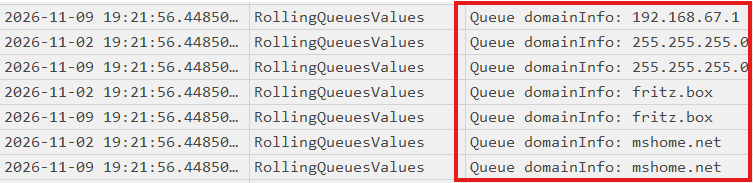
<p><img src="/assets/images/defenders-hidden-flight-recorder-mpenginedb/05-rollingqueuesvalues-network-info.png" alt="RollingQueuesValues entries listing internal DNS servers and domains" /></p>

<p><em>Internal network information, DNS servers and domain names picked up from the host.</em></p>

<p><img src="/assets/images/defenders-hidden-flight-recorder-mpenginedb/06-rollingqueuesvalues-pid-processstart.png" alt="RollingQueuesValues entries mapping a PID to its process start time" /></p>

<p><em>A process’s PID and its FILETIME-encoded start time, queued for attack scoring correlation.</em></p>

<p>Stores process IDs and start times. This can help correlate Defender activity with other process execution artifacts, though it does not contain a complete execution history.</p>

<p><img src="/assets/images/defenders-hidden-flight-recorder-mpenginedb/07-rollingqueuesvalues-recentthreatsonmachine.png" alt="RollingQueuesValues entries listing recent threats detected on the machine" /></p>

<p><em>Recent <code class="language-plaintext highlighter-rouge">Behavior:Win32/...</code> detections queued under <code class="language-plaintext highlighter-rouge">RecentThreatsOnMachine</code>.</em></p>

<p>Stores recently recorded Defender threat names, which can help identify suspicious behavior and provide leads for further investigation.</p>

<p><img src="/assets/images/defenders-hidden-flight-recorder-mpenginedb/08-rollingqueuesvalues-mitre-technique.png" alt="RollingQueuesValues entry mapping a process to a MITRE ATT&amp;CK technique" /></p>

<p><em>A <code class="language-plaintext highlighter-rouge">Tech-pid</code> queue entry resolved to ATT&amp;CK technique <code class="language-plaintext highlighter-rouge">T1547.001</code>, tied to a specific PID and process start time.</em></p>

<p>Detected techniques per process, mapped to MITRE ATT&amp;CK.</p>

<h3 id="filelowfiasync">FileLowFiAsync</h3>

<p>Contains file paths and signature-related information for files processed by Defender’s low-fidelity analysis mechanism. These records can help identify previously examined files and correlate them with other forensic artifacts.</p>

<p><img src="/assets/images/defenders-hidden-flight-recorder-mpenginedb/09-filelowfiasync-hashcat-modules.png" alt="FileLowFiAsync entries for hashcat module DLLs sent for cloud lookup" /></p>

<p><em>LowFi signature hits sent for async cloud lookup, in this case against hashcat’s module DLLs.</em></p>

<h3 id="backupprocessinfo">BackupProcessInfo</h3>

<p>Stores Microsoft Defender’s internal file and process related metadata, including executable paths, timestamps, and a <code class="language-plaintext highlighter-rouge">NextUSN</code> value. This value can be correlated with the NTFS USN Change Journal (<code class="language-plaintext highlighter-rouge">$UsnJrnl</code>), potentially helping investigators reconstruct file modifications, renames, and deletions.</p>

<p><img src="/assets/images/defenders-hidden-flight-recorder-mpenginedb/10-backupprocessinfo-nextusn.png" alt="BackupProcessInfo entries tracked for ransomware rollback with NextUSN values" /></p>

<p><em>Files tracked for ransomware rollback, each with its <code class="language-plaintext highlighter-rouge">NextUSN</code> value ready to correlate against <code class="language-plaintext highlighter-rouge">$UsnJrnl</code>.</em></p>

<h3 id="filehashes">FileHashes</h3>

<p>At first, this might seem like a simple, self-explanatory table. However, it can be highly valuable because it contains a file’s SHA-256 hash and its retrieved MFT entry number. This is especially useful in situations when the original file is no longer available on the filesystem, can’t be recovered from memory, or when an attacker has deleted other forensic artifacts, like Sysmon logs or Amcache entries.</p>

<p><img src="/assets/images/defenders-hidden-flight-recorder-mpenginedb/11-filehashes-sha256-mft.png" alt="FileHashes entries showing SHA-256 hashes and MFT entry numbers" /></p>

<p><em>Files hashed by real-time protection, with their SHA-256 and MFT entry number retained.</em></p>

<h3 id="metainventory">MetaInventory</h3>

<p>Contains software inventory data like version changes, modules, and CPE (Common Platform Enumeration) identifiers for matching known CVEs.</p>

<p><img src="/assets/images/defenders-hidden-flight-recorder-mpenginedb/12-metainventory-cpe-cve.png" alt="MetaInventoryIdentifiers entry showing a CPE string flagged with known CVEs" /></p>

<p><em>A CPE entry for a specific 7-Zip build, flagged against three known CVEs.</em></p>

<h2 id="sqlecmd-cant-decode-it">SQLECmd can’t decode it</h2>

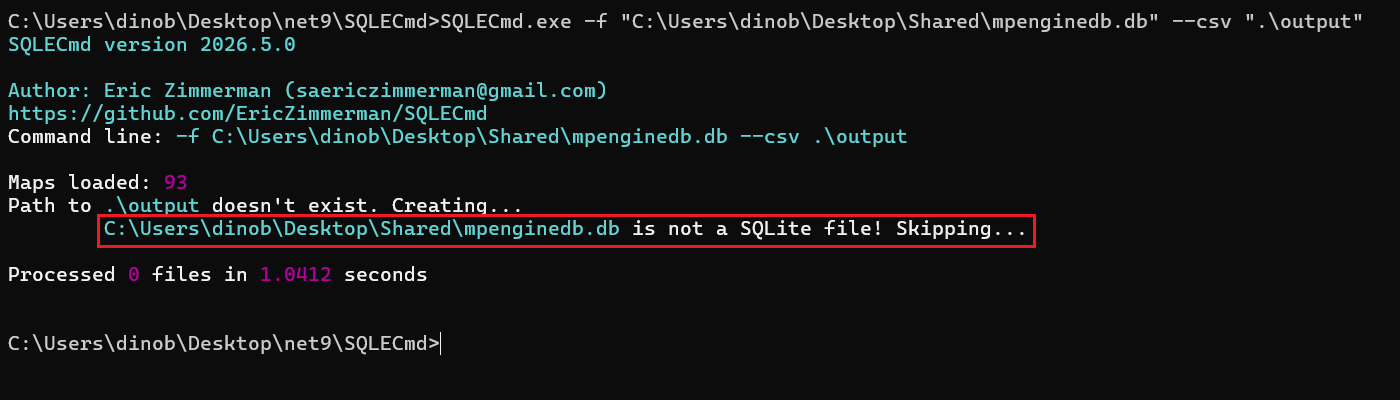
<p>SQLECmd reads the first 8 bytes of every file and only continues if they say <code class="language-plaintext highlighter-rouge">SQLite f</code>. In mpenginedb.db those bytes are encrypted too.</p>

<p>With default settings SQLECmd hunts through a folder, so the file is skipped without a word. You only see it with <code class="language-plaintext highlighter-rouge">--debug</code>, or when you point at the file directly, e.g.:</p>

<p><img src="/assets/images/defenders-hidden-flight-recorder-mpenginedb/13-sqlecmd-skips-mpenginedb.png" alt="SQLECmd skipping mpenginedb.db, reporting it as not a SQLite file" /></p>

<p><em>SQLECmd refuses to process the file once it’s pointed directly at it, logging it as “not a SQLite file.”</em></p>

<p>The tool never sees the database at all, and in a big collection nothing tells you it was missed unless you explicitly try to parse the database.</p>

<h2 id="our-tooling">Our tooling</h2>

<p>We wrote two ways to work with this file.</p>

<h3 id="mpenginedb_parserpy">mpenginedb_parser.py</h3>

<p>Github link: <a href="https://github.com/Protokol-7/mpenginedb_parser">https://github.com/Protokol-7/mpenginedb_parser</a></p>

<p>This is the full parser, made in Python with only the standard library.</p>

<p>Usage:</p>

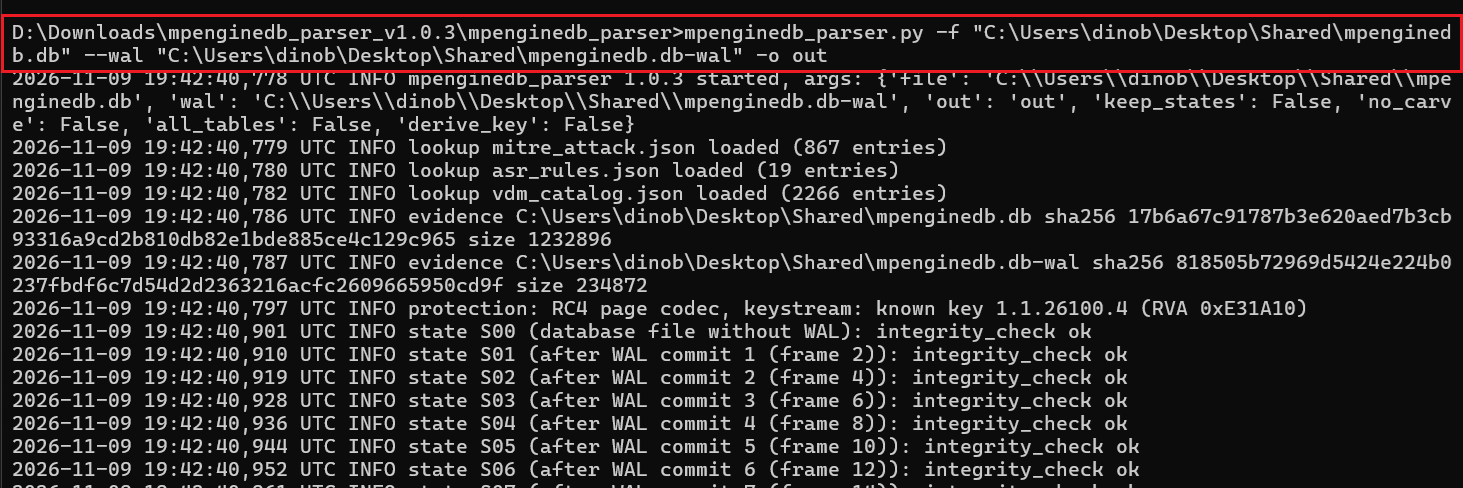
<div class="language-plaintext highlighter-rouge"><div class="highlight"><pre class="highlight"><code>python mpenginedb_parser.py -f "...\mpenginedb.db" --wal "...\mpenginedb.db~wal" -o out
</code></pre></div></div>

<p><img src="/assets/images/defenders-hidden-flight-recorder-mpenginedb/14-mpenginedb-parser-run-log-1.png" alt="mpenginedb_parser.py running against a decrypted sample, part one" /></p>

<p><em>The parser loading its lookup tables, hashing the evidence, and validating each WAL state in sequence.</em></p>

<p><img src="/assets/images/defenders-hidden-flight-recorder-mpenginedb/15-mpenginedb-parser-run-log-2.png" alt="mpenginedb_parser.py running against a decrypted sample, part two" /></p>

<p><em>The run finishing: every WAL state passes its integrity check, timeline events get written, manifest complete.</em></p>

<p>It hashes the evidence before and after and never writes to it. It checks the WAL the way SQLite does, rebuilds the database after every saved transaction, and carves deleted rows with a quality flag for records that were partly overwritten. Every field is decoded: times in UTC, PID and process start, MFT numbers, the swapped hash columns, ATT&amp;CK technique names, and ASR rule names. The main output is <code class="language-plaintext highlighter-rouge">timeline.csv</code>, plus one CSV per table, recovered rows, a report, a log, and a SHA-256 manifest. The <code class="language-plaintext highlighter-rouge">--derive-key</code> flag ignores the built-in key and rebuilds it from the evidence, so you can show the result does not depend on anything shipped with the tool.</p>

<h3 id="decrypt-mpenginedbps1-and-an-sqlecmd-map">Decrypt-MpEngineDb.ps1 and an SQLECmd map</h3>

<p>Github link: <a href="https://github.com/Protokol-7/MpEngineDb_SQLECmd">https://github.com/Protokol-7/MpEngineDb_SQLECmd</a></p>

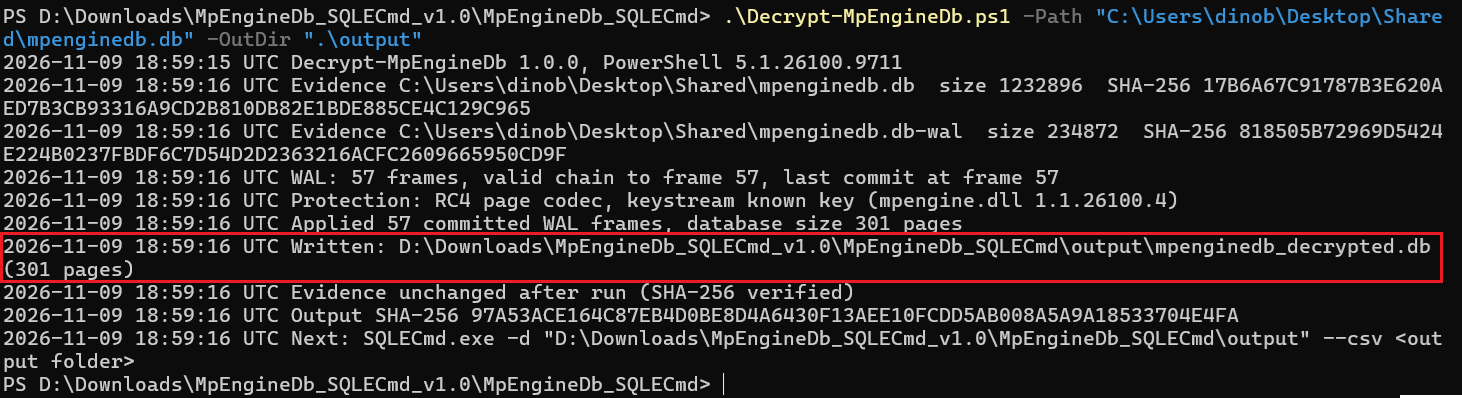
<p>If you want to use the SQLECmd option, we created a PowerShell script that “prepares” (decodes) the database. It writes <code class="language-plaintext highlighter-rouge">mpenginedb_decrypted.db</code>, a normal SQLite file with the WAL already applied.</p>

<p>Usage:</p>

<div class="language-plaintext highlighter-rouge"><div class="highlight"><pre class="highlight"><code>.\Decrypt-MpEngineDb.ps1 -Path &lt;Scans folder copy&gt; -OutDir D:\case\mpdb
SQLECmd.exe -d D:\case\mpdb --csv D:\case\out
</code></pre></div></div>

<p><img src="/assets/images/defenders-hidden-flight-recorder-mpenginedb/16-decrypt-mpenginedb-script-run.png" alt="Decrypt-MpEngineDb.ps1 output after writing the decrypted database" /></p>

<p><em>The script hashes the evidence, validates and applies the WAL, and writes <code class="language-plaintext highlighter-rouge">mpenginedb_decrypted.db</code>.</em></p>

<p>Then SQLECmd does the rest with the map <code class="language-plaintext highlighter-rouge">Windows_MicrosoftDefender_MpEngineDb.smap</code>. Note that you need to drop the map mentioned above into the SQLECmd <code class="language-plaintext highlighter-rouge">Maps</code> folder, or use the <code class="language-plaintext highlighter-rouge">--maps</code> flag in SQLECmd and point it at the path containing the <code class="language-plaintext highlighter-rouge">.smap</code>.</p>

<p>After the database is decrypted and the <code class="language-plaintext highlighter-rouge">.smap</code> file is dropped into the Maps folder, SQLECmd is ready for use:</p>

<div class="language-plaintext highlighter-rouge"><div class="highlight"><pre class="highlight"><code>SQLECmd.exe -f "D:\case\mpdb\mpenginedb.db" --csv "D:\case\out"
OR
SQLECmd.exe -f "D:\case\mpdb\mpenginedb.db" --csv "D:\case\out" --maps &lt;folder with the .smap&gt;
</code></pre></div></div>

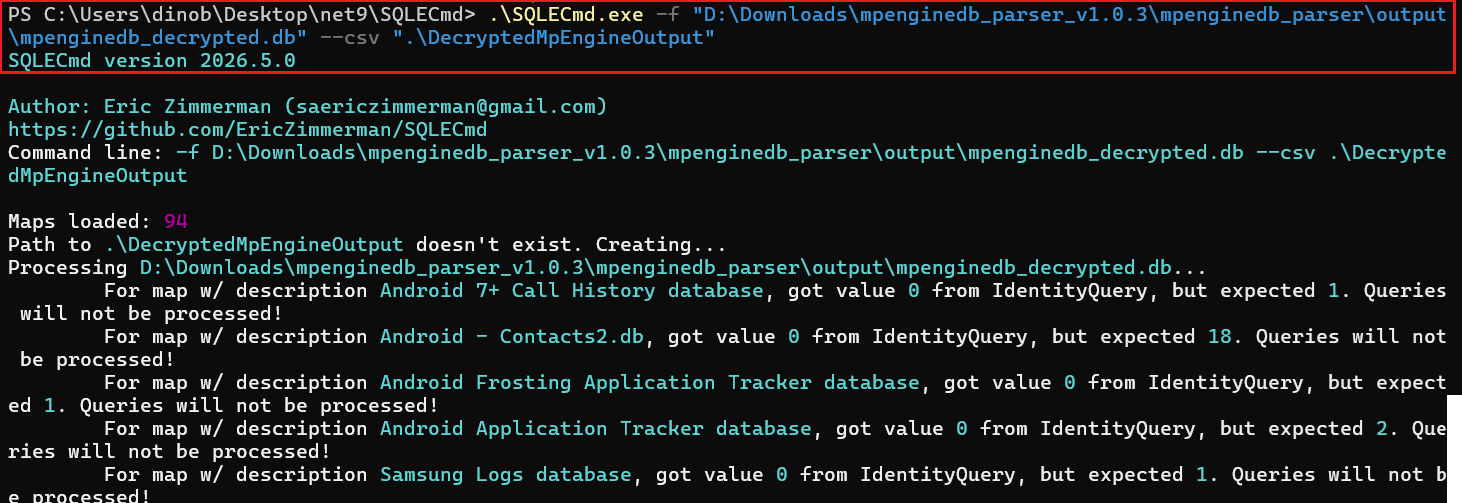
<p><img src="/assets/images/defenders-hidden-flight-recorder-mpenginedb/17-sqlecmd-after-decrypt.png" alt="SQLECmd successfully parsing the decrypted database with the custom map loaded" /></p>

<p><em>SQLECmd running against the decrypted copy with the map loaded, output written normally.</em></p>

<p>The map has 13 queries: attack scoring queues, path tags and ASR state, the hash cache, rollback tracking, LowFi hits, schema history, AMSI cache, blocked processes, monitored processes with command lines, ransomware detections, firewall rules, counters, and Controlled Folder Access paths. Times come out in UTC with the raw values next to them. The Python parser and the PowerShell script produce byte-identical decrypted databases. Deleted rows and per-transaction history are only available in the Python parser.</p>

<h2 id="conclusion">Conclusion</h2>

<p>mpenginedb.db works like a flight recorder for Defender. It keeps the engine’s own view of what each process did, built from activity that often never turns into an alert, scored and queued internally whether or not anything ever surfaces in Protection History. Attack scoring tied to PID and process start, path tags on dropped or side-loaded files, a hash cache that survives after the original file is gone, rollback tracking that ties back into the USN Journal, none of it needs a detection to exist.</p>

<p>The encryption was never a real barrier. RC4 with a key reused across every page is weak on its own, and the key itself turned out to belong to the engine build rather than the machine, recoverable straight from the evidence file without ever touching <code class="language-plaintext highlighter-rouge">mpengine.dll</code>. That derivation doesn’t depend on having seen a given build before, so it should hold even for builds we haven’t tested, Windows 10 included.</p>

<p>SQLECmd walks past it without a word unless you already know to point at it directly, which is most likely why it’s gone unnoticed in casework this long.</p>

<p><code class="language-plaintext highlighter-rouge">mpenginedb_parser.py</code> and <code class="language-plaintext highlighter-rouge">Decrypt-MpEngineDb.ps1</code> plus the SQLECmd map are both linked above and produce identical decrypted output. Pick whichever fits the rest of your workflow.</p>]]></content><author><name>Mato Vlajčić, Luka Bračun, and Dino Bezić</name></author><category term="dfir" /><category term="windows-defender" /><category term="mpenginedb" /><category term="metavault" /><category term="sqlecmd" /><category term="sqlite-forensics" /><category term="rc4" /><summary type="html"><![CDATA[Every Windows machine running Microsoft Defender keeps a SQLite database at:]]></summary></entry><entry><title type="html">Windows Search Index: Gaps in Existing Open Source Tooling and the Implementation of WAL Carving</title><link href="https://protokol-7.github.io/dfir/2026/10/28/windows-search-index-gaps-and-wal-carving.html" rel="alternate" type="text/html" title="Windows Search Index: Gaps in Existing Open Source Tooling and the Implementation of WAL Carving" /><published>2026-10-28T00:00:00+00:00</published><updated>2026-10-28T00:00:00+00:00</updated><id>https://protokol-7.github.io/dfir/2026/10/28/windows-search-index-gaps-and-wal-carving</id><content type="html" xml:base="https://protokol-7.github.io/dfir/2026/10/28/windows-search-index-gaps-and-wal-carving.html"><![CDATA[<p>Recently, we came across an issue with parsing the Windows Search Index using Search Index DB Reporter (<strong>SIDR</strong>) (<a href="https://github.com/strozfriedberg/sidr">https://github.com/strozfriedberg/sidr</a>). It didn’t support parsing the Search Index sqlite database (<code class="language-plaintext highlighter-rouge">Windows.db</code>) on Windows 11 versions 24H2+ (we’ve tested 24H2, 25H2 and 26H2).</p>

<p>This led to us parsing the Search Index database using <strong>SQLECmd</strong> from EZ-Tools (<a href="https://ericzimmerman.github.io/">https://ericzimmerman.github.io/</a>). Again we ran into an issue. It parsed the database but the output is unreadable since the values are hex encoded.</p>

<p>We decided to fix both of these issues and implement a new feature which isn’t present in any open source tool that we know of. This feature is <strong>WAL carving</strong> of the <code class="language-plaintext highlighter-rouge">Windows.db-wal</code> file. (SQLite’s Write-Ahead Log for <code class="language-plaintext highlighter-rouge">Windows.db</code>). Forensic implications are described below.</p>

<p>For SQLECmd we’ve created a helper script to decode the hex values returned by SQLECmd when parsing the Windows Search Index. The script also has a WorkId correlation feature (<code class="language-plaintext highlighter-rouge">--pivot</code> flag) you can use to generate output similar to SIDR.</p>

<p>All of the following tests were performed on the same 26H2 machine, only using updated versions of the same <code class="language-plaintext highlighter-rouge">Windows.db</code> database.</p>

<h2 id="sidr">SIDR</h2>

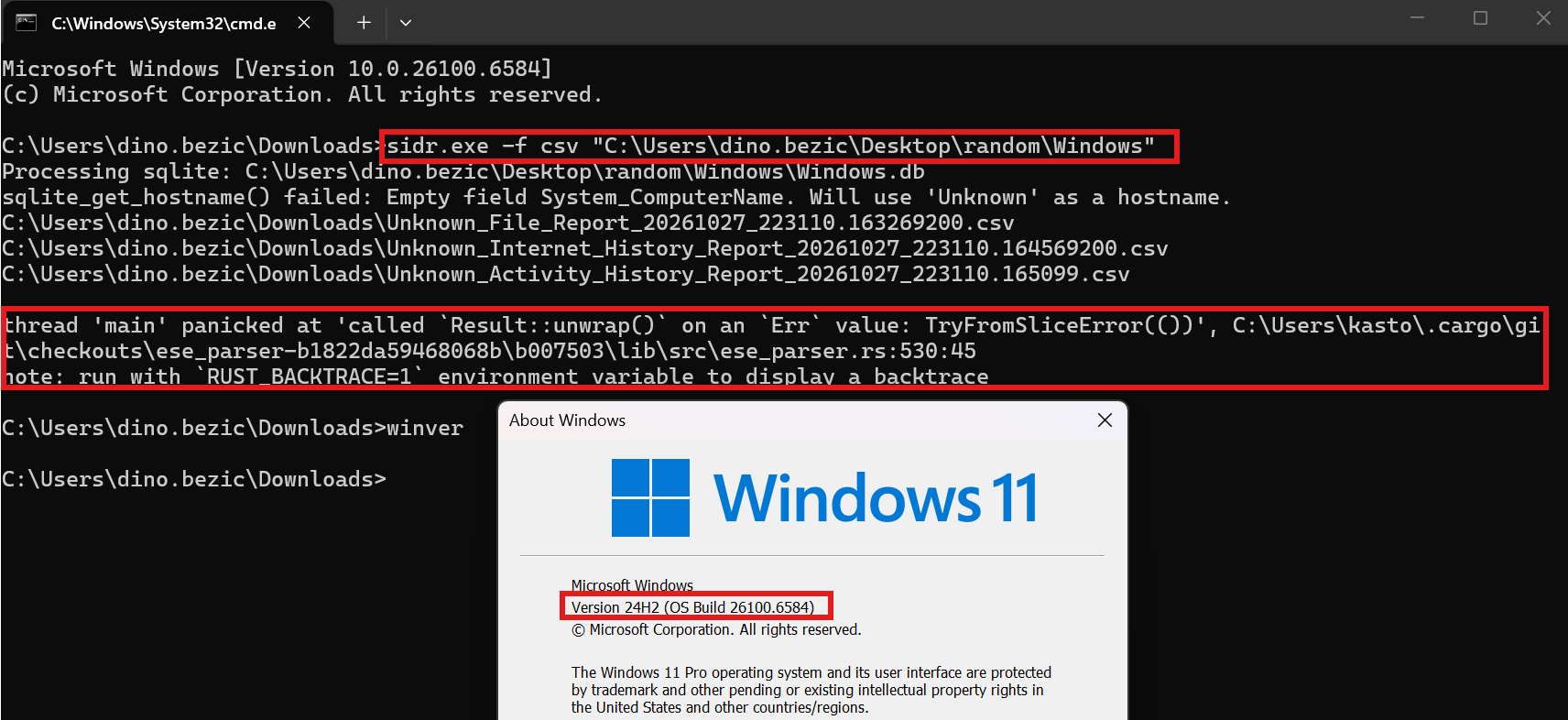
<p>We concluded that the SIDR repository is unmaintained and does not work on Windows versions <strong>24H2</strong>, <strong>25H2</strong> and <strong>26H2</strong>.</p>

<h3 id="24h2">24H2</h3>

<p><img src="/assets/images/wsi-gaps-wal-carving/01-sidr-stock-panic-24h2.png" alt="SIDR panicking on a 24H2 Windows.db" /></p>

<p><em>The output is almost non-existent:</em></p>

<p><img src="/assets/images/wsi-gaps-wal-carving/02-sidr-stock-empty-output.png" alt="Mostly empty SIDR output files" /></p>

<h2 id="sidr-patch">sidr-patch</h2>

<p>We didn’t want to create a new tool from scratch when SIDR was working as expected on previous versions. Therefore we just created a patch for SIDR; most of this codebase is unmodified upstream SIDR (base commit <code class="language-plaintext highlighter-rouge">5bde8e8</code>, Apache License 2.0, © 2025 LevelBlue). We only patched it to stop crashing on Windows 11 24H2/25H2/26H2 databases and added the new <code class="language-plaintext highlighter-rouge">--history</code> recovery option which supports WAL carving. This is described in detail below.</p>

<p>Reason why SIDR fails is described in our patched SIDR github repository (sidr-patch):
<a href="https://github.com/Protokol-7/sidr-patch/tree/main">https://github.com/Protokol-7/sidr-patch/tree/main</a></p>

<p>The release is available at:
<a href="https://github.com/Protokol-7/sidr-patch/releases/tag/v1.0.0">https://github.com/Protokol-7/sidr-patch/releases/tag/v1.0.0</a></p>

<p>Demonstration of the patch on a Windows 11 26H2 machine:</p>

<p><img src="/assets/images/wsi-gaps-wal-carving/03-sidr-patch-run.png" alt="sidr-patch command" /></p>

<p><img src="/assets/images/wsi-gaps-wal-carving/04-sidr-patch-output-files.png" alt="sidr-patch output files" /></p>

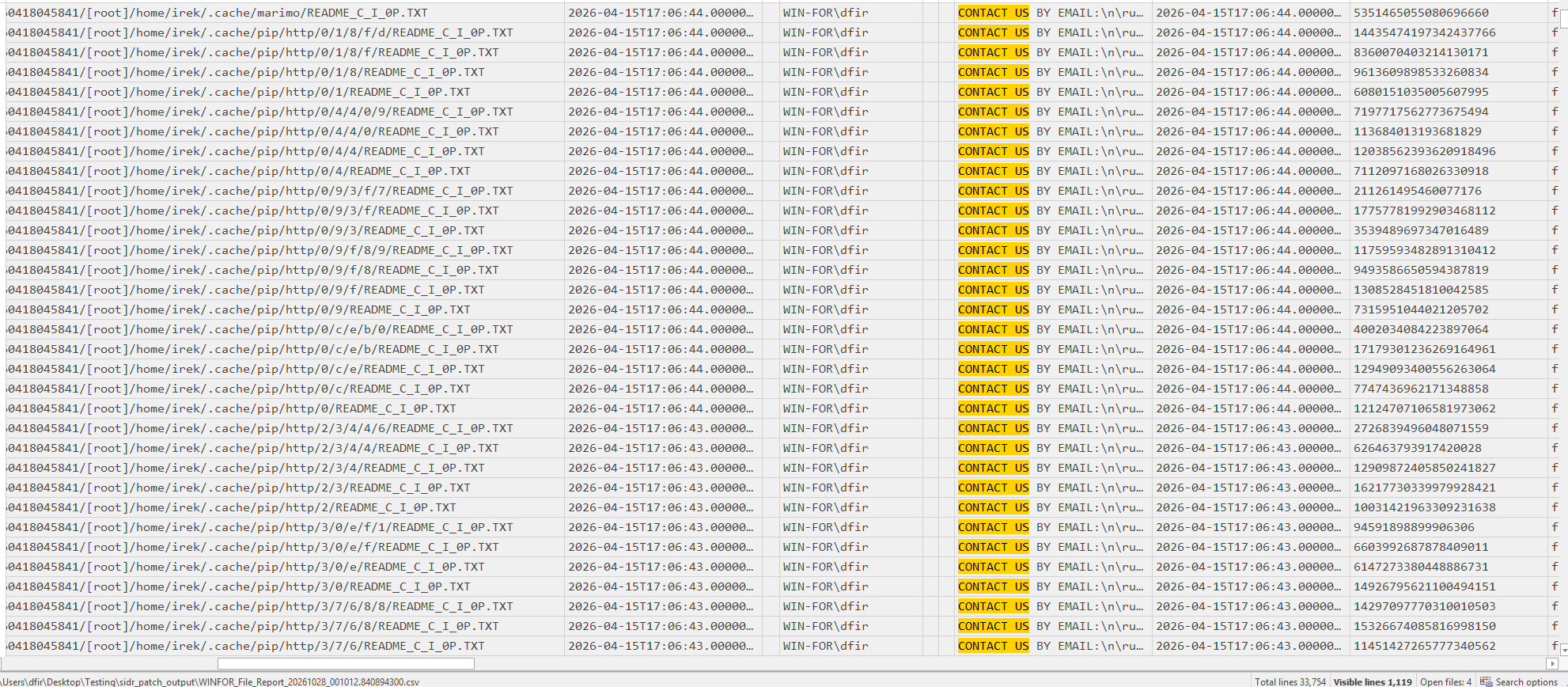
<p>Output is the same as before with SIDR. In this example, I searched for a string that’s present inside a ransomware note (.txt file). The AutoSummary (Content Preview) feature allows us to inspect content inside of the file.</p>

<p><img src="/assets/images/wsi-gaps-wal-carving/05-sidr-patch-file-report-content.png" alt="sidr-patch File Report content showing AutoSummary" /></p>

<h2 id="wal-carving">WAL Carving</h2>

<p>WAL carving applies the general carving idea to a SQLite write-ahead log: instead of asking the database engine “what’s the current value of this row,” you read the WAL file directly, byte by byte, and reconstruct every version of a row that was ever written to it, including versions the engine itself would refuse to show you, because they’re old, superseded, or part of a transaction that never finished.</p>

<p>The <code class="language-plaintext highlighter-rouge">sidr_patch --history</code> flag does three things, roughly:</p>
<ul>
  <li>Walks the WAL independently of SQLite. Rather than opening the database normally and asking it for the current state, it parses the raw WAL file itself to find every past version of every page including ones that were later overwritten, ones from a half-finished write, and leftover fragments from before the WAL was last reset.</li>
  <li>Does the same for the main database file, looking at space that’s no longer actively used by anything live, pages that got replaced or freed but weren’t yet overwritten by new data.</li>
  <li>Compares every historical value it finds against the item’s current value. If they match, it’s discarded, not interesting. If they differ, it gets written to a report with a label explaining why it’s different: the value changed, the property disappeared, or the whole item no longer exists at all.</li>
</ul>

<h3 id="forensic-value">Forensic Value</h3>

<p>It recovers evidence a live query can never show you. A normal scan, even a very thorough one, only ever sees the database’s current, final state. Anything superseded along the way is invisible to it by design. WAL carving is the only way to see that intermediate history at all.
It can recover evidence that was never meant to be visible to anyone. A half-written transaction that got interrupted by a crash, a power loss, or a process being deliberately killed never becomes “current” under any circumstances. Carving is the only path to it.</p>

<p>But it’s a closing window, not a permanent record. Everything recovered this way is sitting in space that’s actively being reused by the next checkpoint, the next write, ongoing indexing activity. The longer you wait, the more of it gets overwritten. This is probabilistic evidence that degrades over time, not something you can always count on finding, which is exactly why timing matters so much
in how you present a case built on it.</p>

<h3 id="use-case-scenario-recovering-a-deleted-files-search-index-history-via-wal-carving">Use Case Scenario: Recovering a Deleted File’s Search-Index History via WAL Carving</h3>

<p>Suppose a file was created, renamed to hide it, then deleted and the Recycle Bin emptied. The file itself is gone and may have been overwritten (suppose the MFT and Journal entries were also deleted or overwritten). Windows Search’s own database can be used as evidence here, specifically, residual property values sitting in the SQLite WAL and in freed/replaced pages of <code class="language-plaintext highlighter-rouge">Windows.db</code> that haven’t been overwritten yet.</p>

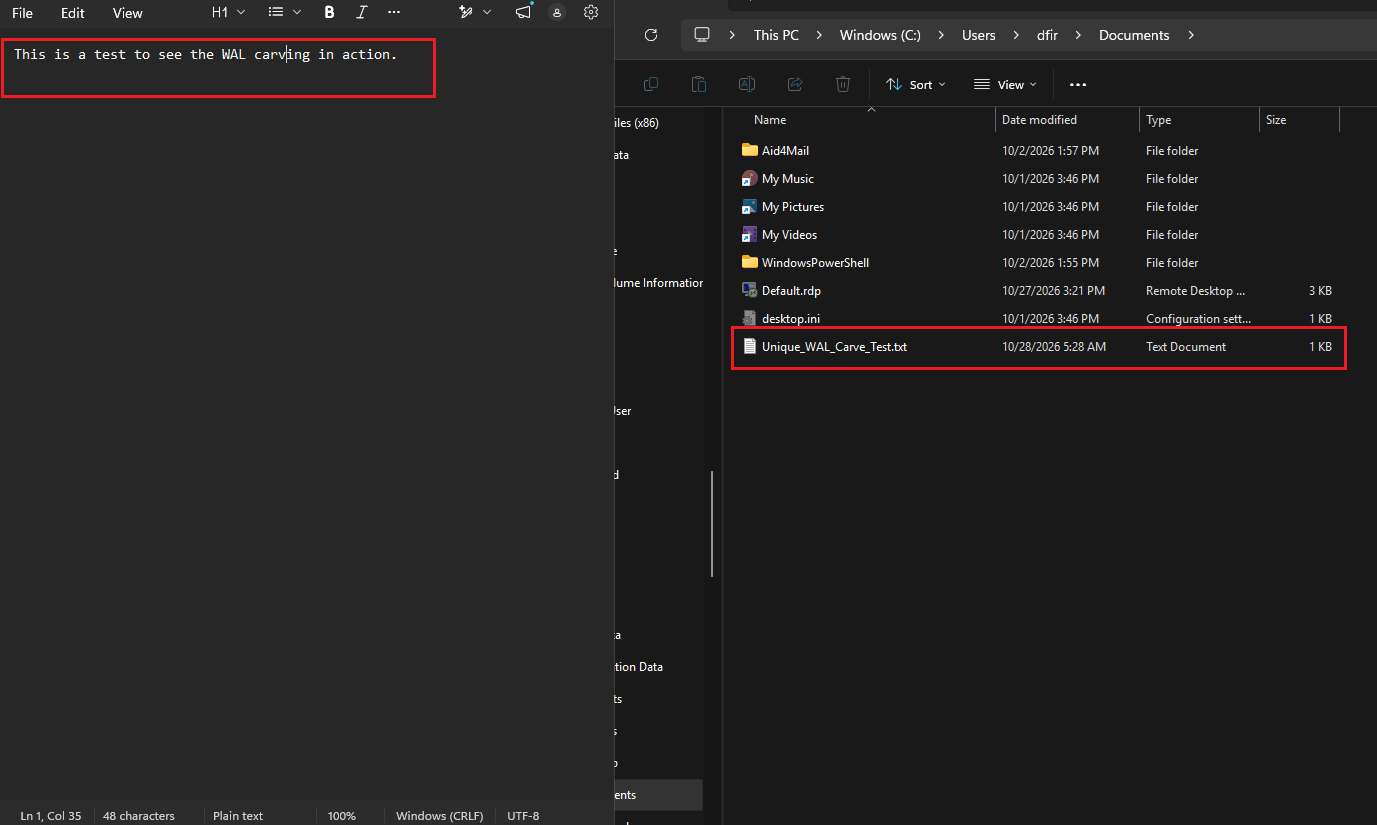
<p>Using <code class="language-plaintext highlighter-rouge">sidr_patch --history</code>, we managed to recover the renamed file name and other properties such as AutoSummary (Content Preview). This is the step-by-step process we used to demonstrate this scenario.</p>

<ol>
  <li>Creating a file <code class="language-plaintext highlighter-rouge">Unique_WAL_Carve_test.txt</code>.</li>
</ol>

<p><img src="/assets/images/wsi-gaps-wal-carving/20-walcarve-test-file-created.png" alt="Unique WAL carving test file created" /></p>

<ol>
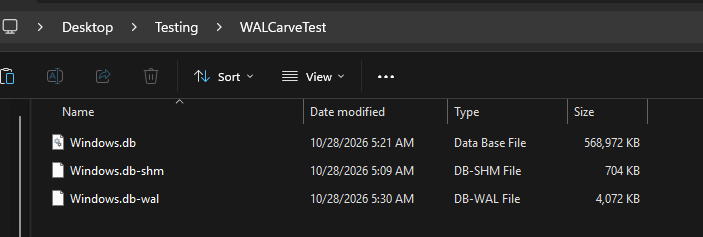
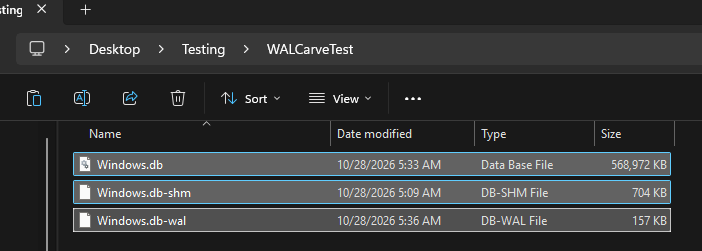
  <li>Copying over the database after file creation, because a handle is currently opened and we can’t parse it live. (Note that the -shm file isn’t actually needed to perform WAL carving).</li>
</ol>

<p><img src="/assets/images/wsi-gaps-wal-carving/21-walcarve-db-copy-1.png" alt="Copied database files" /></p>

<ol>
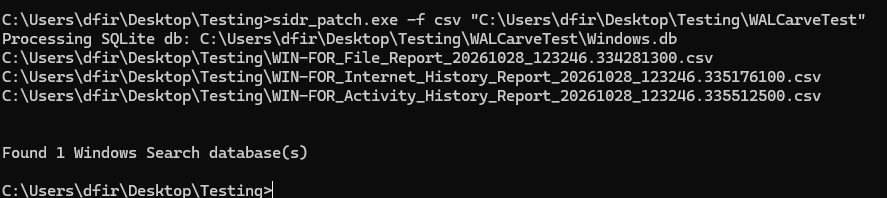
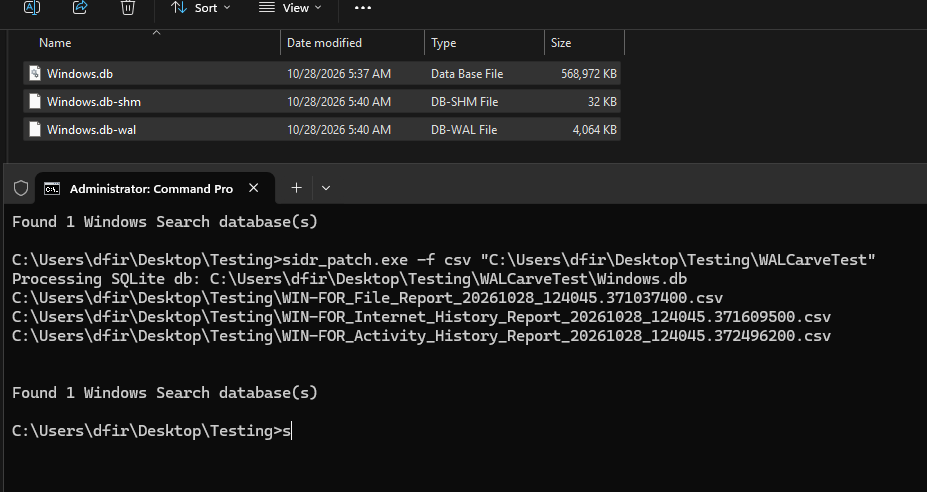
  <li>Using sidr_patch to parse the database (without the <code class="language-plaintext highlighter-rouge">--history</code> flag, just regular usage)</li>
</ol>

<p><img src="/assets/images/wsi-gaps-wal-carving/22-walcarve-sidr-run-1.png" alt="sidr-patch parsing the copied database" /></p>

<ol>
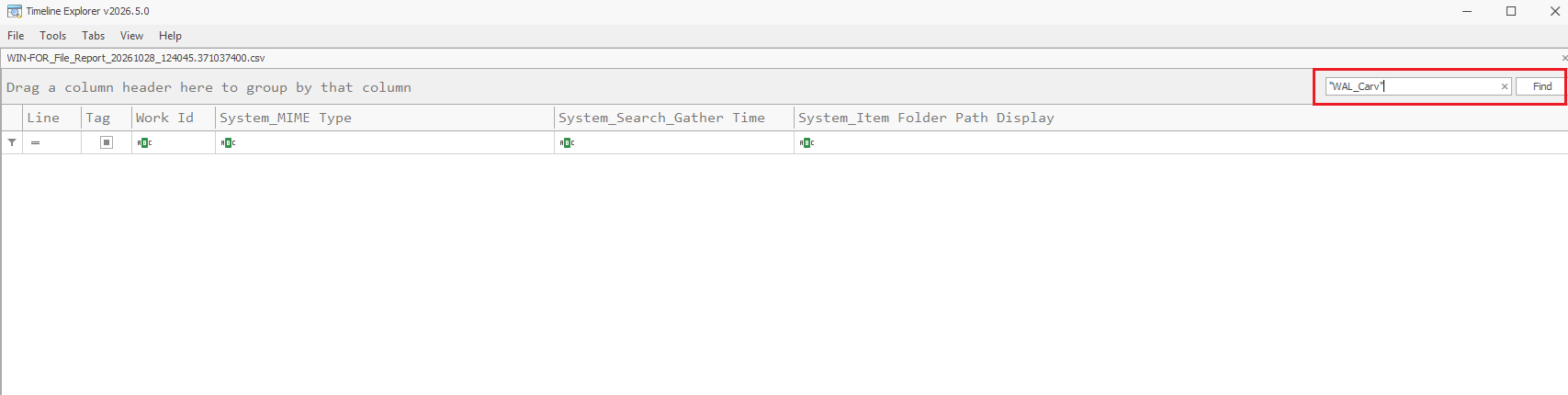
  <li>Checking the File_Report CSV for the file name.</li>
</ol>

<p><img src="/assets/images/wsi-gaps-wal-carving/23-walcarve-file-report-present.png" alt="File Report entry for the test file" /></p>

<p><img src="/assets/images/wsi-gaps-wal-carving/24-walcarve-file-report-dates.png" alt="File Report AutoSummary and item date" /></p>

<p><img src="/assets/images/wsi-gaps-wal-carving/24b-walcarve-file-report-dates-more.png" alt="File Report further date fields" /></p>

<ol>
  <li>Renaming the file to <code class="language-plaintext highlighter-rouge">Renamed_WAL_Carve_Test.txt</code>.</li>
</ol>

<p><img src="/assets/images/wsi-gaps-wal-carving/25-walcarve-file-renamed.png" alt="Test file renamed on disk" /></p>

<ol>
  <li>Copying the database and parsing again.</li>
</ol>

<p><img src="/assets/images/wsi-gaps-wal-carving/26-walcarve-db-copy-2.png" alt="Database copied again after rename" /></p>

<p><img src="/assets/images/wsi-gaps-wal-carving/27-walcarve-sidr-run-2.png" alt="sidr-patch parsing after the rename" /></p>

<ol>
  <li>Renamed file appears.</li>
</ol>

<p><img src="/assets/images/wsi-gaps-wal-carving/28-walcarve-file-report-renamed.png" alt="File Report entry with the renamed file" /></p>

<p><img src="/assets/images/wsi-gaps-wal-carving/29-walcarve-autosummary-renamed.png" alt="AutoSummary content under the renamed entry" /></p>

<ol>
  <li>The file was deleted (moved to Recycle Bin and deleted from there as well).</li>
</ol>

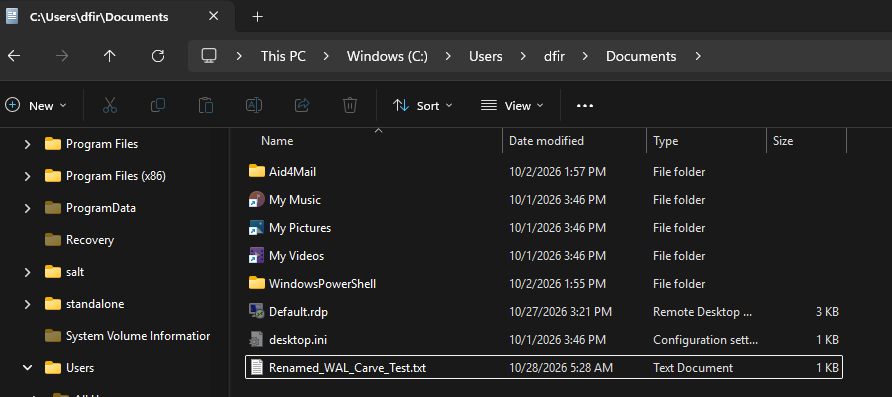
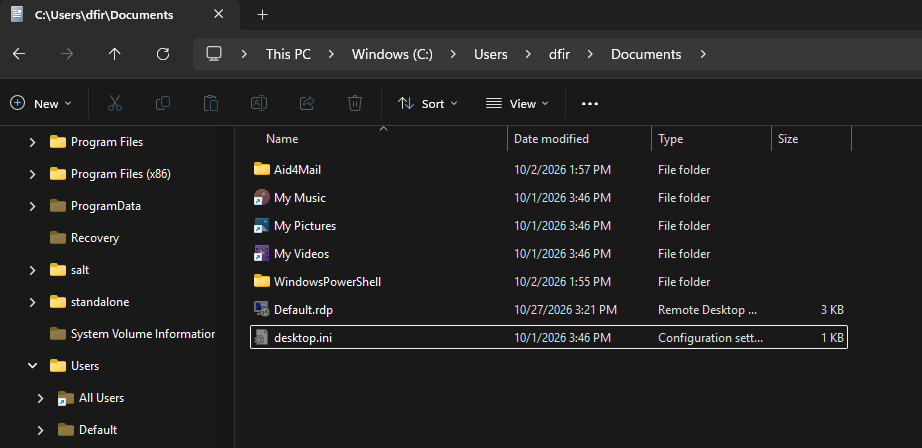
<p><img src="/assets/images/wsi-gaps-wal-carving/30-walcarve-file-deleted.png" alt="Test file deleted from disk" /></p>

<ol>
  <li>Copying the database and parsing again.</li>
</ol>

<p><img src="/assets/images/wsi-gaps-wal-carving/31-walcarve-db-copy-3.png" alt="Database copied again after deletion" /></p>

<ol>
  <li>The Search Index Database (File_Report CSV output from SIDR) doesn’t contain either the old file name or the new file name.</li>
</ol>

<p><img src="/assets/images/wsi-gaps-wal-carving/32-walcarve-no-recovery-empty.png" alt="Empty search result for the deleted file" /></p>

<ol>
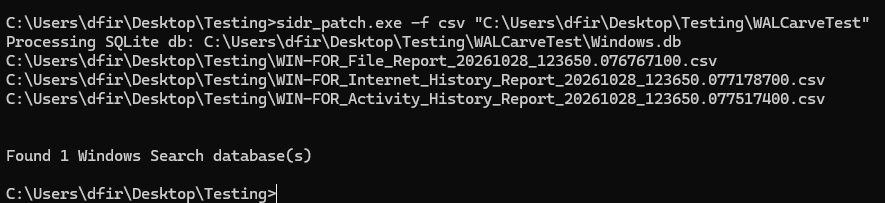
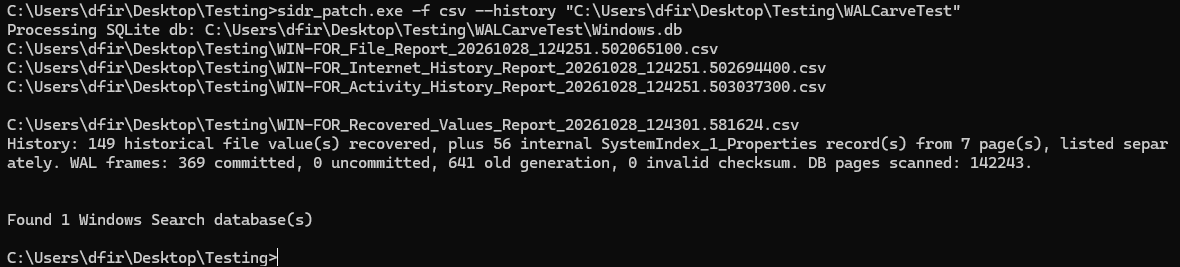
  <li>Parsing with the <code class="language-plaintext highlighter-rouge">sidr_patch --history</code> flag this time.</li>
</ol>

<p><img src="/assets/images/wsi-gaps-wal-carving/33-walcarve-history-flag-run.png" alt="sidr-patch run with the --history flag" /></p>

<ol>
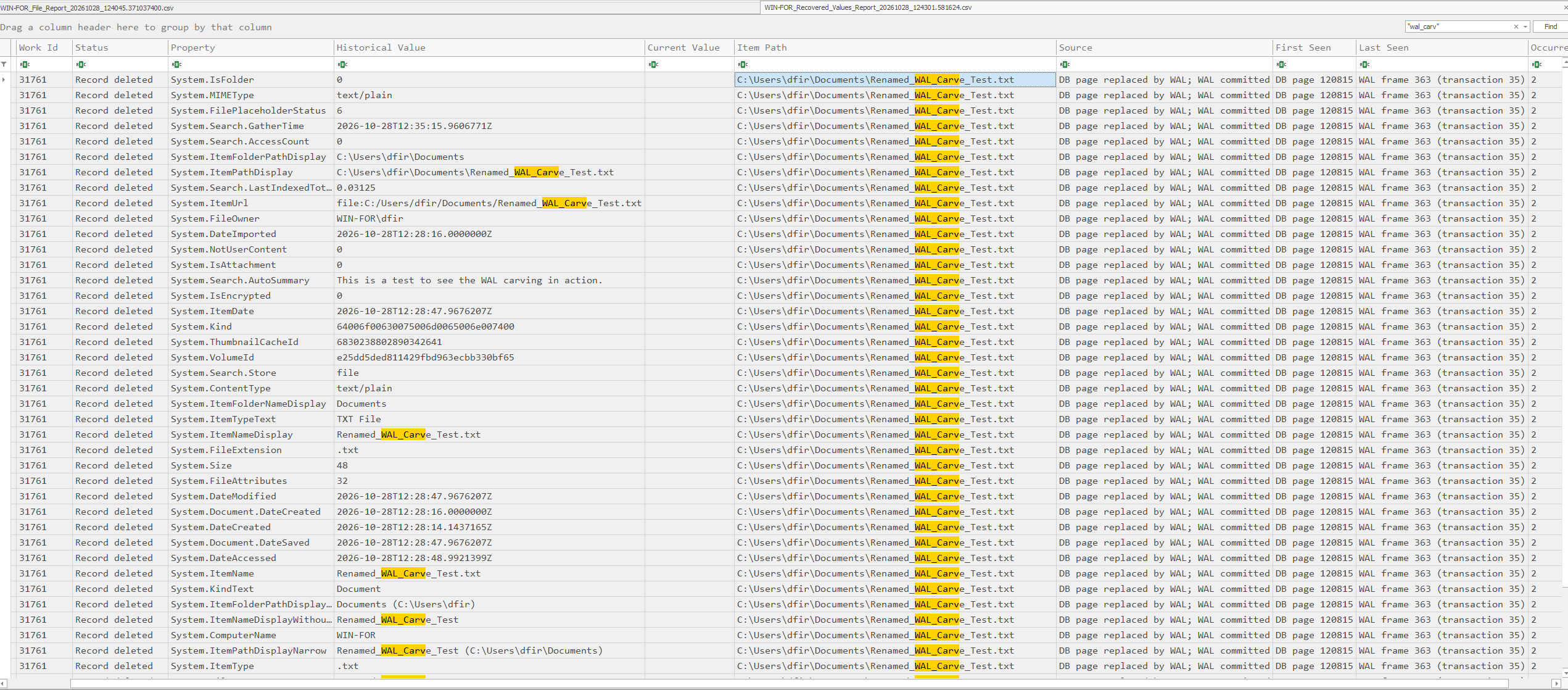
  <li>We successfully recovered the file and its metadata, proving that it existed and even viewing its content. In this case, the original file name wasn’t recovered, only the renamed file.</li>
</ol>

<p><img src="/assets/images/wsi-gaps-wal-carving/34-walcarve-recovered-report.png" alt="Recovered Values Report for the deleted file" /></p>

<p><code class="language-plaintext highlighter-rouge">Windows.db</code> is lossy by design. A checkpoint only ever copies the latest committed version of each page into the main file, every intermediate state that existed along the way, in a sequence of commits before that checkpoint, is simply discarded from the moment it’s superseded. The WAL is the only place several categories of evidence ever exist in a form that’s recoverable at all.</p>

<h2 id="addressing-sqlecmd">Addressing SQLECmd</h2>

<p>In this demonstration we’ll also show the usual output SQLECmd generates when parsing the Search Index database, as well as demonstrating our script which decodes the SQLECmd output and provides a pivoting feature that correlates WorkIds similar to what SIDR does. We didn’t intend to replace SIDR with this script, and generally we prefer SIDR for this, but if someone wants to use SQLECmd, our script might come in handy.</p>

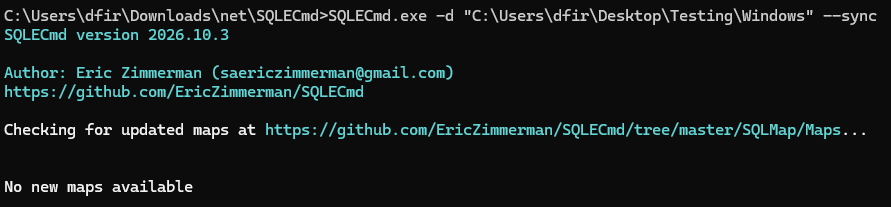
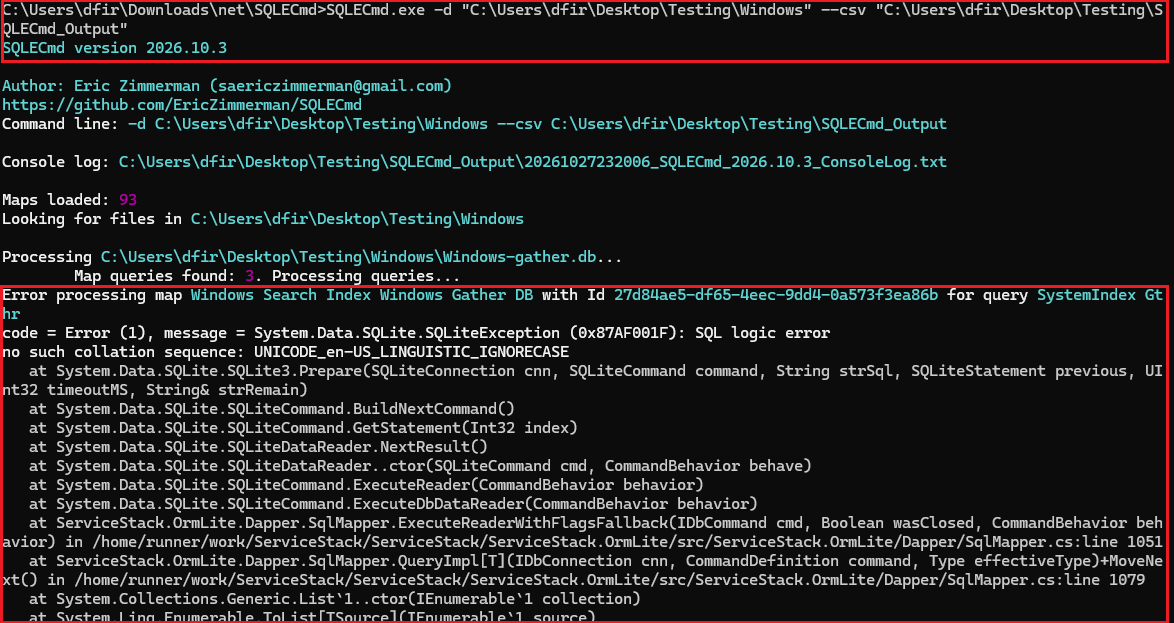
<p>We tested this with both the newest <strong>SQLECmd version 2026.10.3</strong> and the <strong>2026.5.0</strong> version. The output is the same.</p>

<p><img src="/assets/images/wsi-gaps-wal-carving/06-sqlecmd-latest-version-header.png" alt="SQLECmd 2026.10.3 header" /></p>

<p><img src="/assets/images/wsi-gaps-wal-carving/07-sqlecmd-latest-collation-error.png" alt="SQLECmd 2026.10.3 collation error" /></p>

<p><img src="/assets/images/wsi-gaps-wal-carving/08-sqlecmd-latest-no-map-warning.png" alt="SQLECmd 2026.10.3 no map warning" /></p>

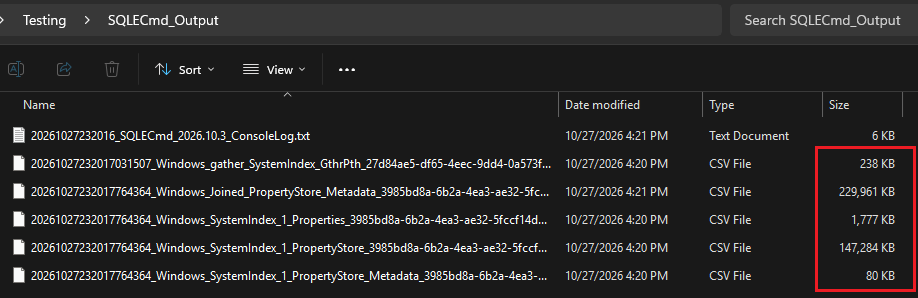
<p><em>We did get output, the error isn’t of note:</em></p>

<p><img src="/assets/images/wsi-gaps-wal-carving/09-sqlecmd-latest-output-files.png" alt="SQLECmd 2026.10.3 output files" /></p>

<h2 id="sqlecmd_si_decode-script">sqlecmd_si_decode script</h2>

<p>Again, we recommend using the patched SIDR, but if anyone wants, they can keep using SQLECmd. This script decodes the hex values which SQLECmd outputs, and it also has a WorkId correlation feature (<code class="language-plaintext highlighter-rouge">--pivot</code>) to get output similar to the patched SIDR.</p>

<p>Github: <a href="https://github.com/Protokol-7/sqlecmd_SI_decode">https://github.com/Protokol-7/sqlecmd_SI_decode</a></p>

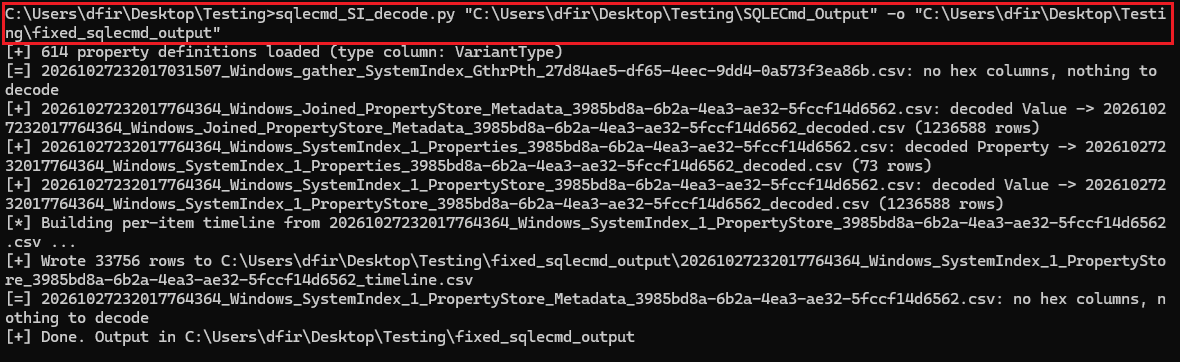
<p><em>General usage just for decoding:</em></p>

<p><img src="/assets/images/wsi-gaps-wal-carving/15-decode-script-run.png" alt="sqlecmd_si_decode general usage" /></p>

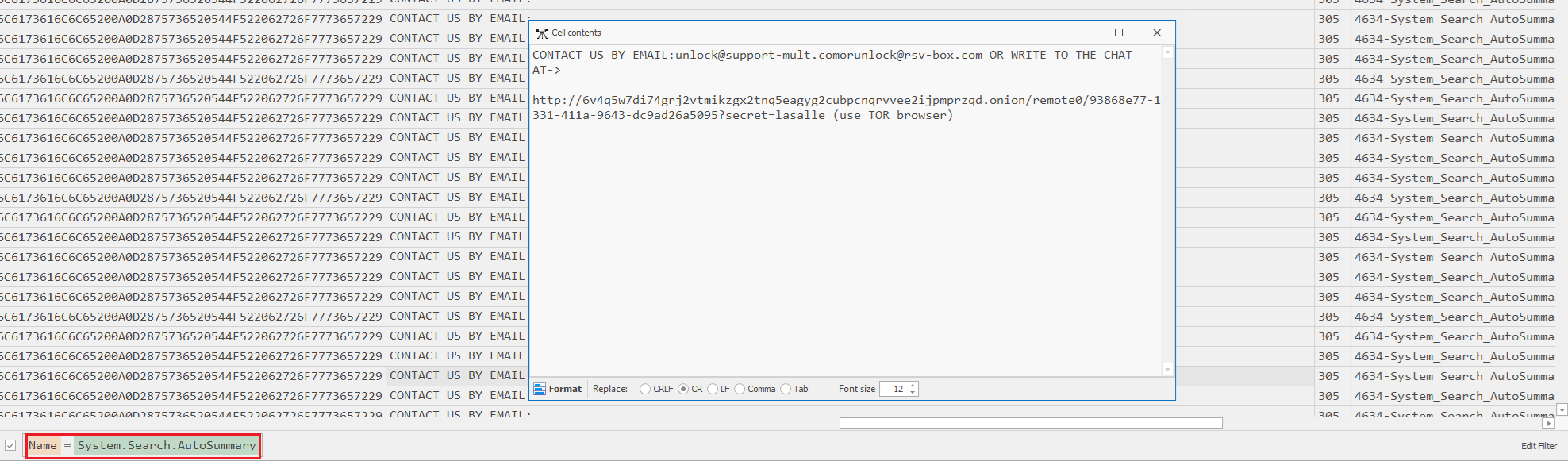
<p>Output is in a few tables, I wanted to search for the AutoSummary Content Preview. This was in the joined table (<code class="language-plaintext highlighter-rouge">20261027232017764364_Windows_Joined_PropertyStore_Metadata_3985bd8a-6b2a-4ea3-ae32-5fccf14d6562_decoded.csv</code>):</p>

<p><img src="/assets/images/wsi-gaps-wal-carving/16-decode-script-autosummary-cell.png" alt="Decoded AutoSummary content" /></p>

<p>Recommended usage (pivoting with <code class="language-plaintext highlighter-rouge">--pivot</code> flag, also add metadata CSV with <code class="language-plaintext highlighter-rouge">--meta</code>):
The first table we pass as an argument is the PropertyStore table which was the output of SQLECmd, then the output was defined to be saved in <code class="language-plaintext highlighter-rouge">pivoted.csv</code>. Then the second table was added, the PropertyStore_Metadata table (not the joined Metadata one), also outputted by SQLECmd. And the flag <code class="language-plaintext highlighter-rouge">--pivot</code> used to correlate WorkIds.</p>

<p><img src="/assets/images/wsi-gaps-wal-carving/17-decode-script-pivot-run.png" alt="Running sqlecmd_si_decode with --pivot" /></p>

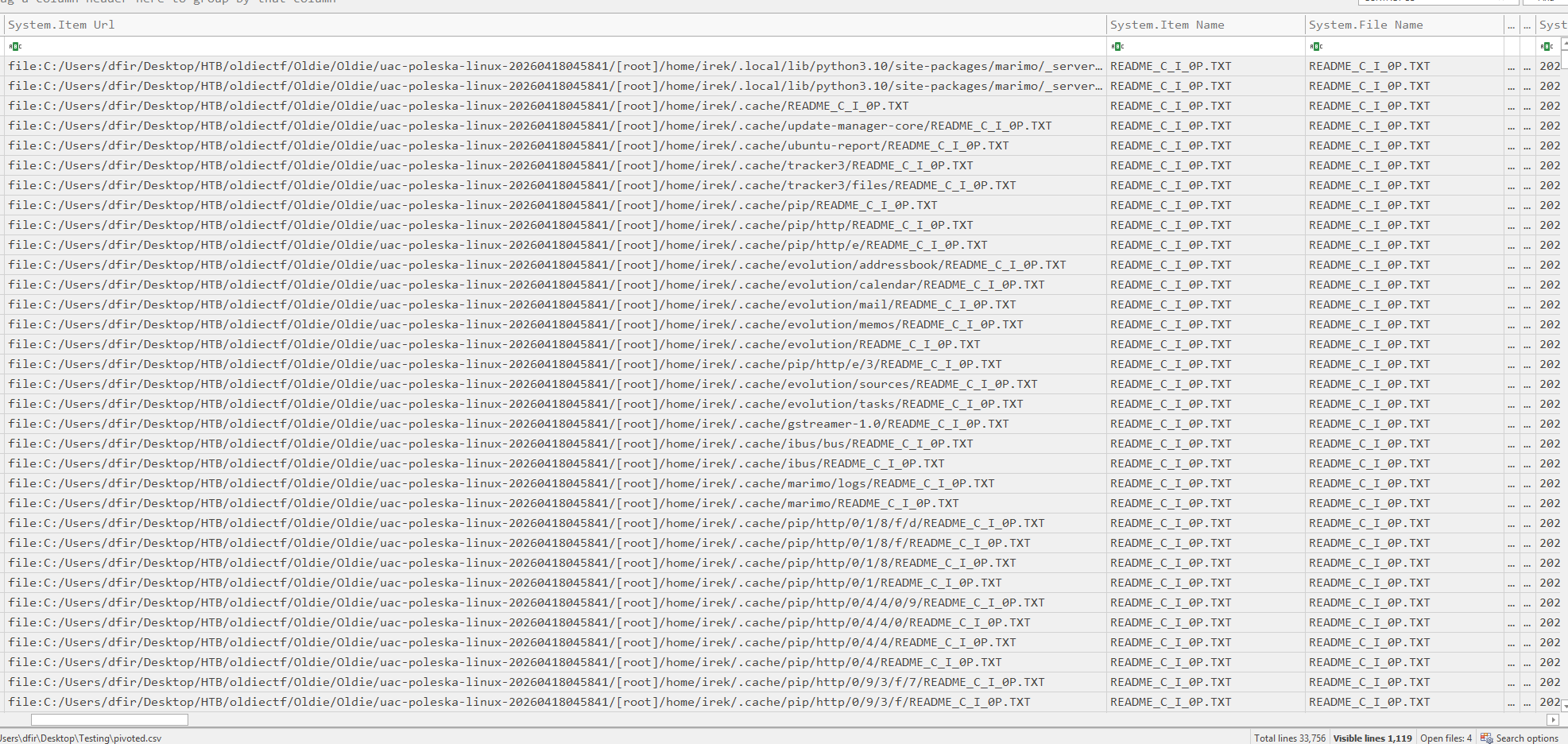
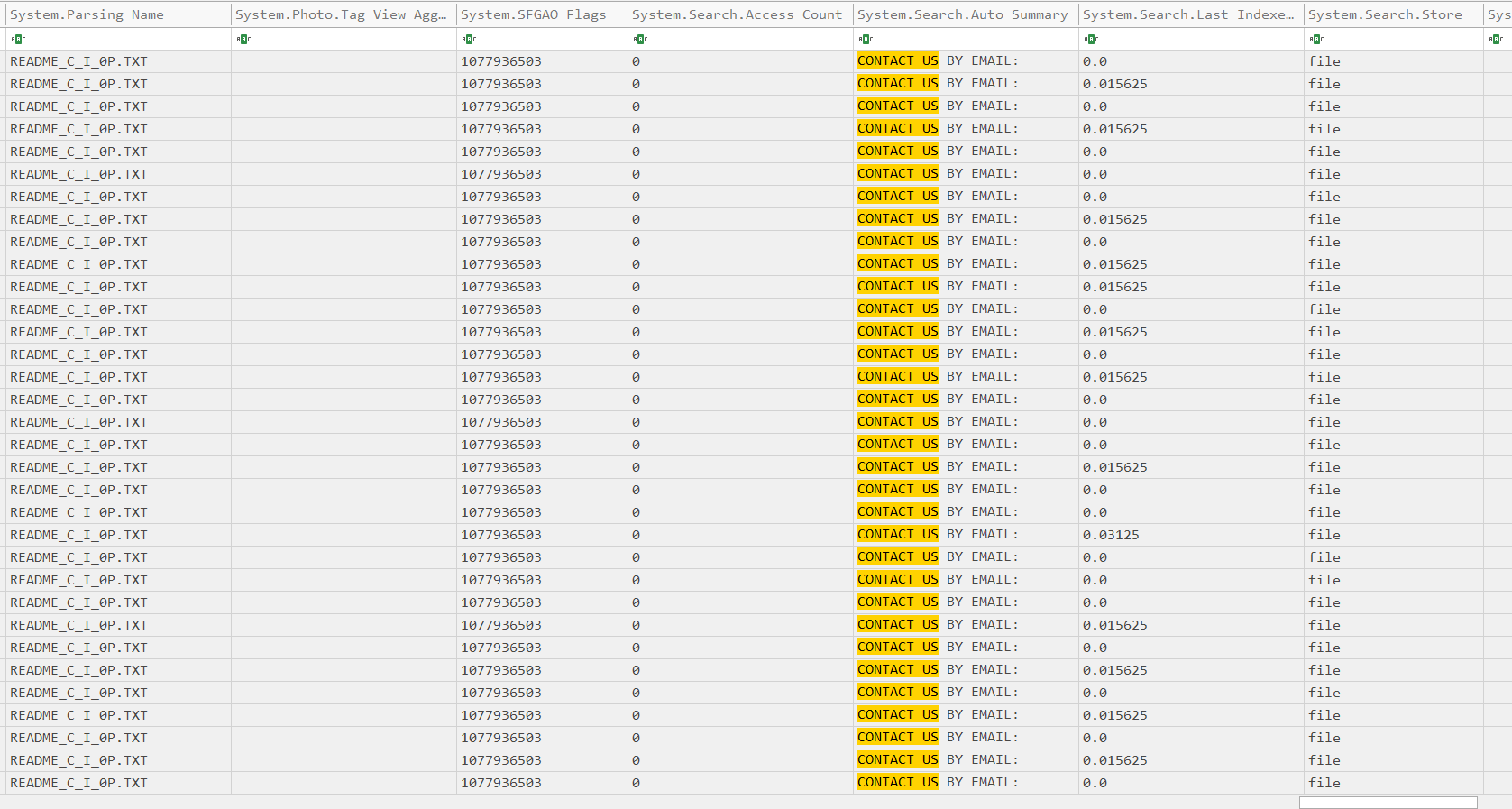
<p>WorkId correlation: it groups every decoded <code class="language-plaintext highlighter-rouge">(WorkId, Property, Value)</code> triple by WorkId and writes one row per item, with every property that appeared anywhere in the data as a column. Run it with <code class="language-plaintext highlighter-rouge">--pivot</code> and you get a wide table structurally similar to SIDR’s File Report Output, but it’s not identical and we’re keeping it this way.</p>

<p><img src="/assets/images/wsi-gaps-wal-carving/18-decode-script-pivot-output-left.png" alt="Pivoted output table, left half" />
<img src="/assets/images/wsi-gaps-wal-carving/19-decode-script-pivot-output-right.png" alt="Pivoted output table, right half" /></p>

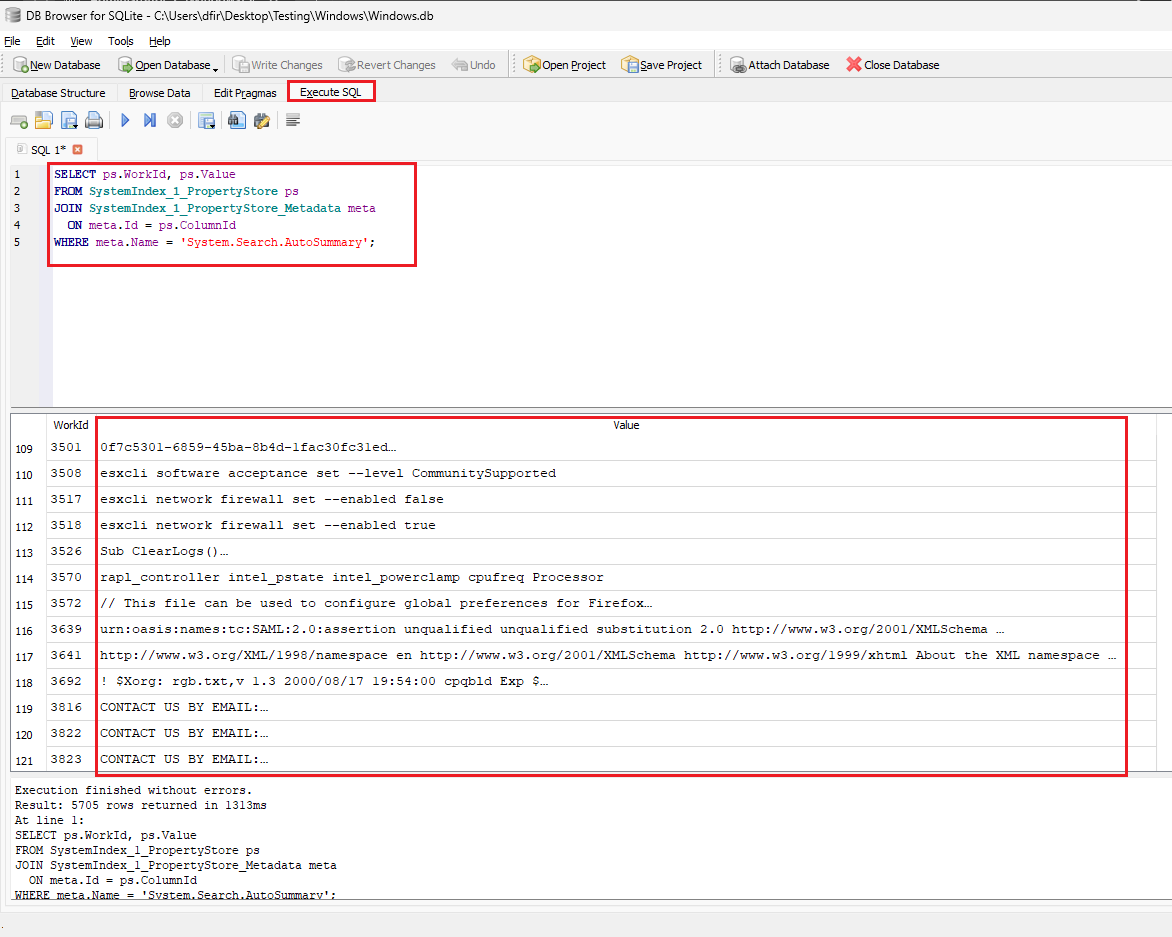
<h2 id="db-browser-for-sqlite">DB Browser for SQLite</h2>

<p>I’d also like to address DB Browser for SQLite, a popular choice whenever sqlite databases are in play.</p>

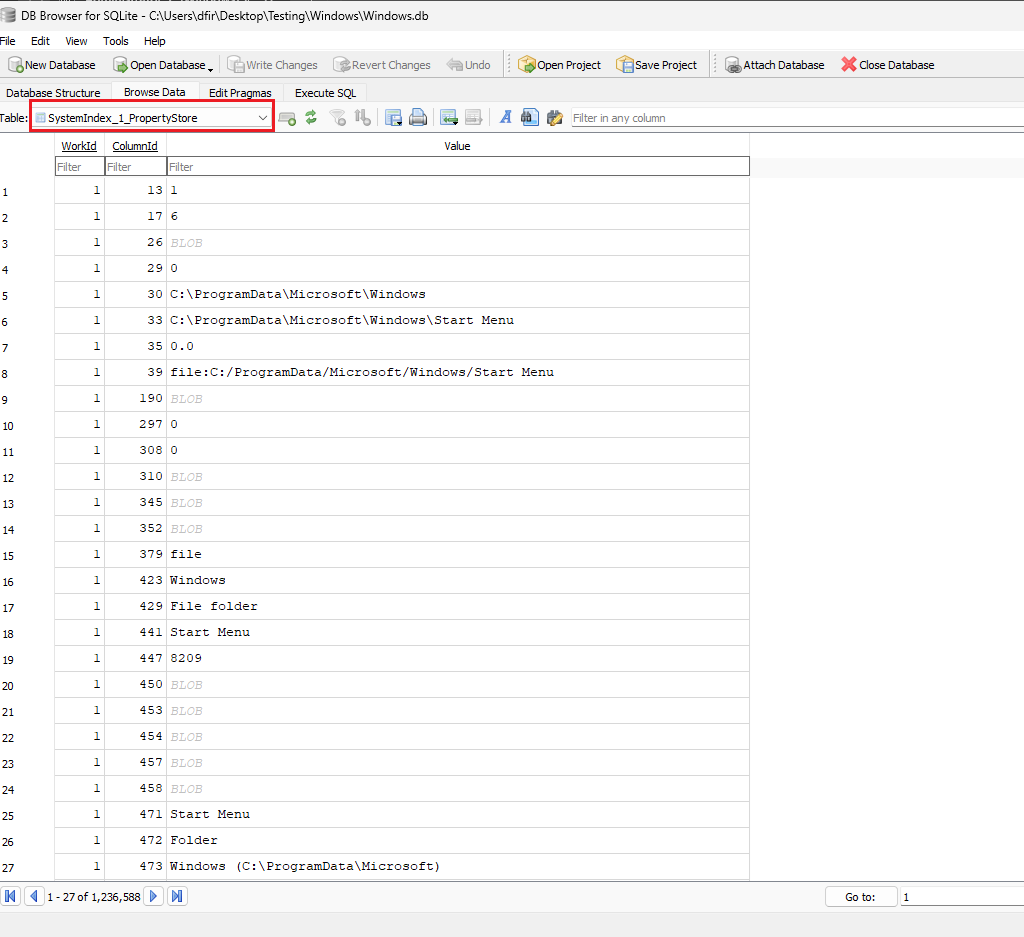
<p><img src="/assets/images/wsi-gaps-wal-carving/13-dbbrowser-propertystore-table.png" alt="DB Browser SystemIndex_1_PropertyStore table" /></p>

<p>Browsing through DB Browser is usually a pain, and to correlate:
<code class="language-plaintext highlighter-rouge">SystemIndex_1_PropertyStore</code> only stores numeric <code class="language-plaintext highlighter-rouge">ColumnId</code>s, not names; the name mapping lives in a separate table, <code class="language-plaintext highlighter-rouge">SystemIndex_1_PropertyStore_Metadata</code>. You need to resolve the ID first, meaning you have to write SQL queries.</p>

<div class="language-sql highlighter-rouge"><div class="highlight"><pre class="highlight"><code><span class="k">SELECT</span> <span class="n">ps</span><span class="p">.</span><span class="n">WorkId</span><span class="p">,</span> <span class="n">ps</span><span class="p">.</span><span class="n">Value</span>
<span class="k">FROM</span> <span class="n">SystemIndex_1_PropertyStore</span> <span class="n">ps</span>
<span class="k">JOIN</span> <span class="n">SystemIndex_1_PropertyStore_Metadata</span> <span class="n">meta</span>
  <span class="k">ON</span> <span class="n">meta</span><span class="p">.</span><span class="n">Id</span> <span class="o">=</span> <span class="n">ps</span><span class="p">.</span><span class="n">ColumnId</span>
<span class="k">WHERE</span> <span class="n">meta</span><span class="p">.</span><span class="n">Name</span> <span class="o">=</span> <span class="s1">'System.Search.AutoSummary'</span><span class="p">;</span>
</code></pre></div></div>

<p>That gives you every WorkId that has a content preview, with the actual snippet text in <code class="language-plaintext highlighter-rouge">Value</code>.</p>

<p><img src="/assets/images/wsi-gaps-wal-carving/14-dbbrowser-autosummary-query.png" alt="DB Browser AutoSummary query results" /></p>

<p>It is possible to get output similar to SIDR, but we would rather not write SQL queries if a tool can parse it for us.</p>

<h2 id="conclusion">Conclusion</h2>

<p>SIDR doesn’t work on current Windows 11 builds, and even where SQLECmd does work, its output is unreadable without a decode step of your own. We fixed both: <a href="https://github.com/Protokol-7/sidr-patch/tree/main">sidr-patch</a> gets SIDR running again on 24H2, 25H2 and 26H2, and <a href="https://github.com/Protokol-7/sqlecmd_SI_decode">sqlecmd_SI_decode</a> makes SQLECmd’s hex output readable if you’d rather stick with it. On top of that, the <code class="language-plaintext highlighter-rouge">--history</code> flag adds something neither tool had before: WAL carving lets you recover property values, including a deleted file’s name and content preview, straight from the write-ahead log and freed pages of <code class="language-plaintext highlighter-rouge">Windows.db</code>, long after a normal query stops showing them. That evidence is time-sensitive since checkpoints and new writes overwrite it, so the sooner you parse with <code class="language-plaintext highlighter-rouge">--history</code>, the more you’ll get back.</p>]]></content><author><name>Dino Bezić, Mato Vlajčić, and Luka Bračun</name></author><category term="dfir" /><category term="sidr" /><category term="sqlecmd" /><category term="windows-search" /><category term="sqlite-forensics" /><category term="wal-carving" /><summary type="html"><![CDATA[Recently, we came across an issue with parsing the Windows Search Index using Search Index DB Reporter (SIDR) (https://github.com/strozfriedberg/sidr). It didn’t support parsing the Search Index sqlite database (Windows.db) on Windows 11 versions 24H2+ (we’ve tested 24H2, 25H2 and 26H2).]]></summary></entry></feed>